
What website is this?
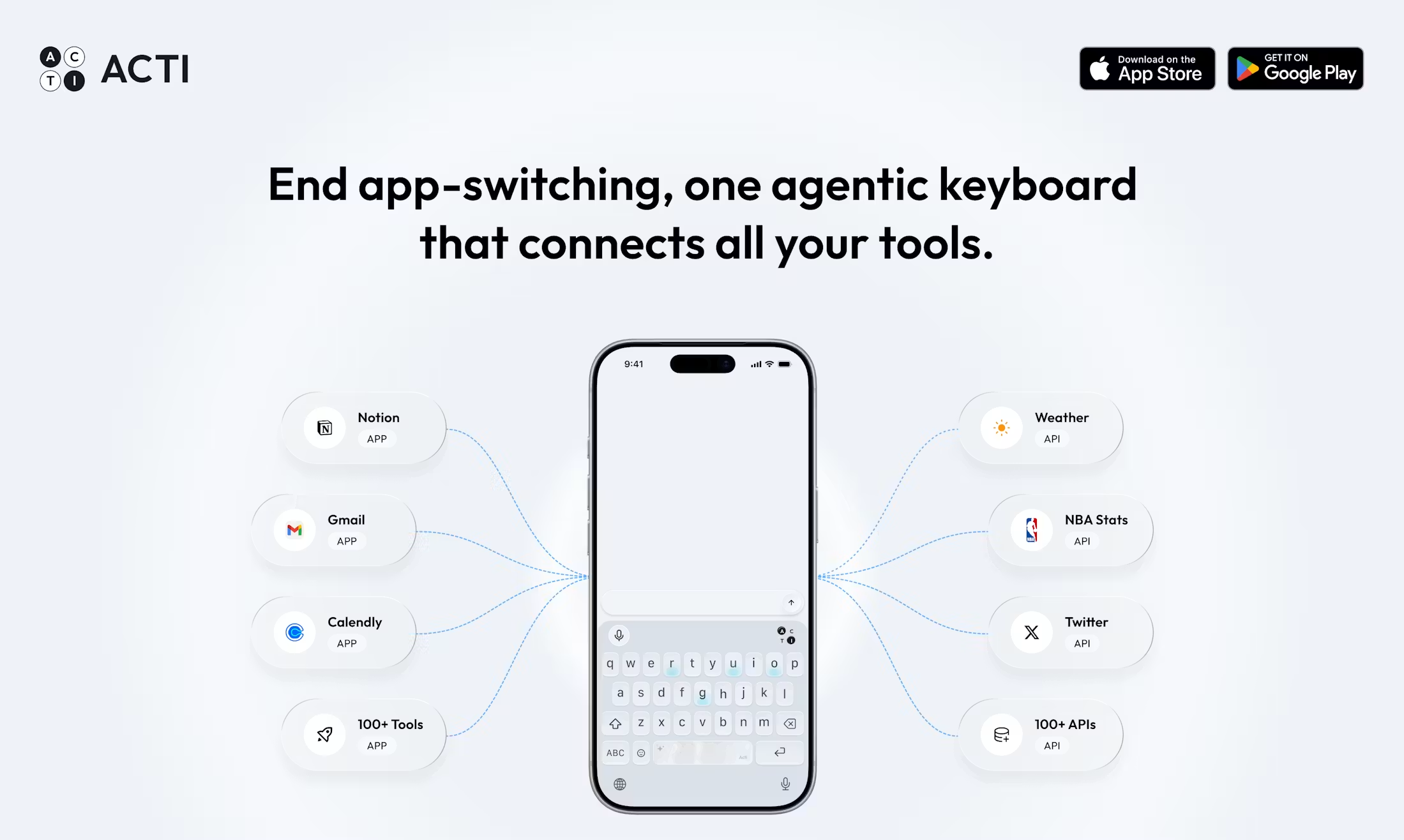
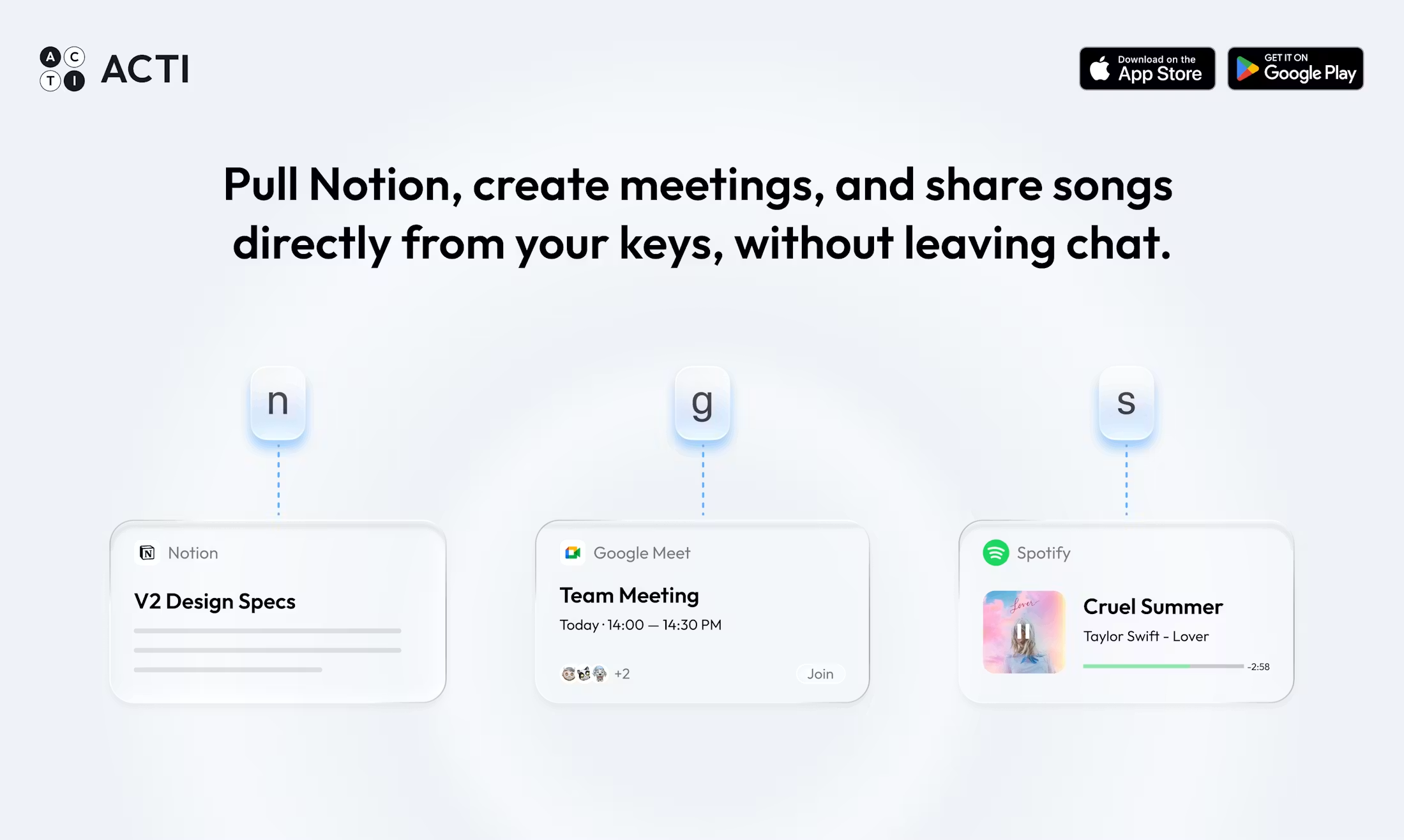
Acti is a third-party smart keyboard for iOS and Android, operated by TypeX Limited. The site positions it as an agentic keyboard: on top of predictions, rewrites, and voice input, it adds an action layer that executes on your intent. In any app, you type what you need, long-press the Acti Bar to trigger a Skill, and call connected tools or APIs such as Gmail, Notion, and Calendly—without hopping apps for a single lookup. Skill Builder and the Actier community let you create, publish, or clone custom skill packs. The privacy policy states the keyboard does not upload what you type unless you explicitly trigger a Skill.
Key Features
- Long-press the Acti Bar in any app to trigger an agent from natural-language intent
- One-tap preset Skill Keys such as Weather Rizz and Productivity Ninja
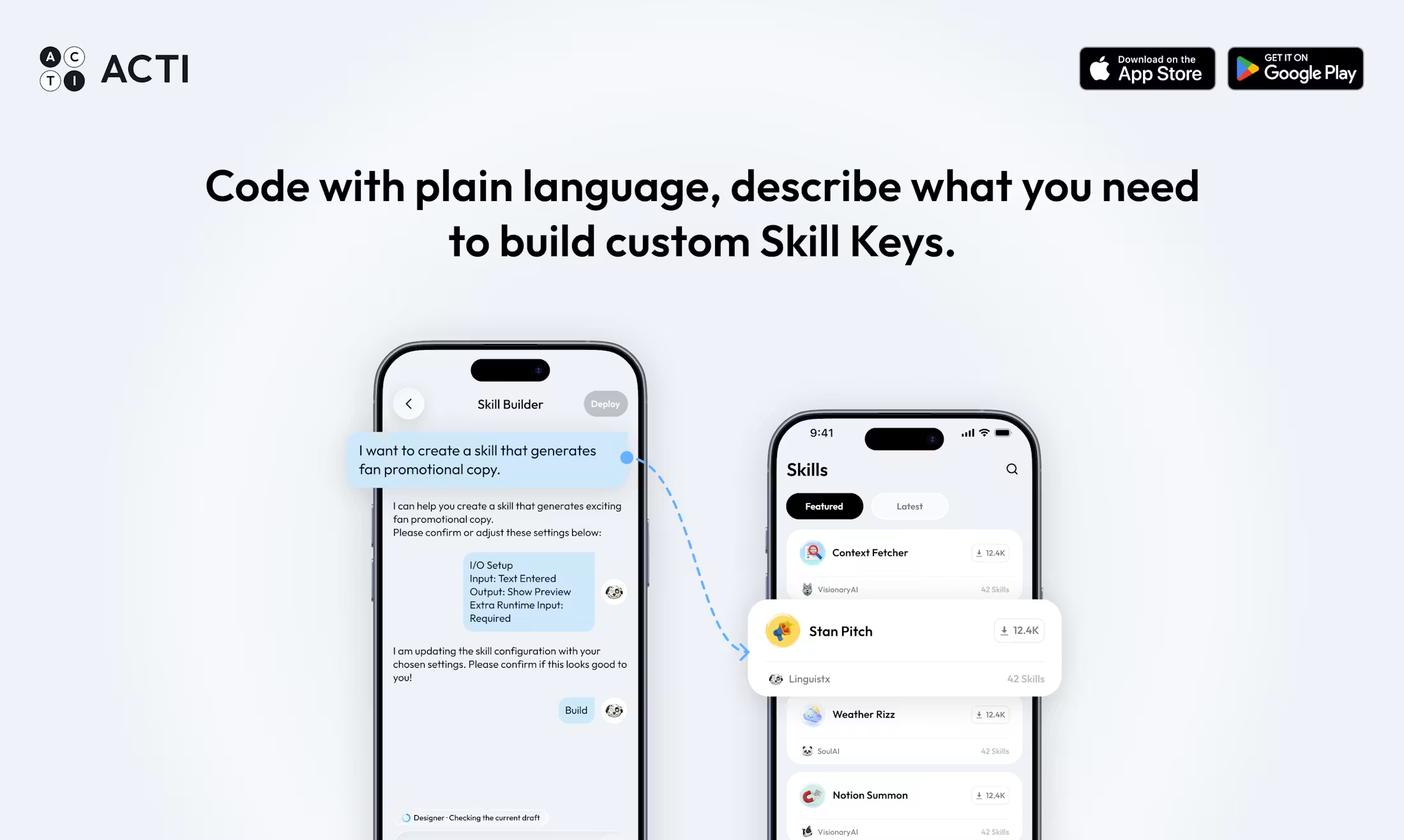
- Build and publish custom Skills in Skill Builder by wiring APIs and apps together
- Connect 150+ tools including Notion, Gmail, and Calendly, invoked per Skill as needed
- Browse and clone Skills shared by others in the Actier community into your keyboard library
- Standard AI keyboard capabilities: predictions, tone rewrites, translation, and voice input
Use Cases
- On a commute, long-press the Acti Bar in WhatsApp so a Skill finds local restaurants and inserts a share link
- A social creator triggers the “Twitter Guy” Skill in a Twitter draft to generate post-ready copy from a topic
- A PM runs a custom Skill on a Notion page to pull a weather API and format a short summary
- A crypto user invokes a Crypto Degen–style Skill in chat to fetch schedule or market summaries quickly
- A developer wraps an internal API as a private Skill in Skill Builder for the team’s keyboards
Who is it for?
- Mobile users who message often but lose flow when switching apps to look things up
- Power users willing to configure Skills and connect OAuth tool accounts
- Creators or small teams who want to reuse community Skill templates on one keyboard
- Privacy-conscious users who accept a model where text uploads only on explicit Skill triggers
- People who automate on desktop and rarely type on phone (lower fit)
- Users who only want text rewrites, not cross-app actions (a typical AI keyboard may suffice)
How It Compares to Similar Tools?
AI keyboards like Gboard and Grammarly focus on prediction and polish; Acti emphasizes triggering tasks and tool chains from the input layer. General phone assistants usually require leaving the current app; Acti embeds actions in the keyboard, but Skill outcomes depend on setup quality and third-party API availability. If grammar fixes are the main goal, a traditional AI keyboard is lighter; if you need lookups, links, or Notion calls inside chat or email, weigh its Skill system and Credits limits.
Pricing Details
The site and user terms currently state Acti is free with no subscriptions, in-app purchases, or paid plans. Free users receive Credits subject to daily and rolling limits; Genesis program users may get higher or unmetered allowances. Terms note that if paid features are introduced later, additional terms apply at purchase. Allowances and Genesis eligibility are subject to https://www.openacti.com/ and in-app notices.
FAQs
Q: Does Acti read every character I type?
A: The privacy policy says the keyboard does not collect or upload keystrokes unless you trigger a Skill that needs text; only the inputs the Skill is configured to read are sent.
Q: Is Acti free now? Will it charge later?
A: User terms currently describe the service as free with no subscription; if paid features are added, terms will be disclosed at purchase.
Q: How is it different from an AI keyboard like Gboard?
A: Typical AI keyboards optimize text; Acti adds an action layer so Skills can call external tools to complete tasks inside any app.
Q: Which platforms are supported? Do I need a separate app?
A: iOS and Android are supported; install the Acti app, enable the Acti keyboard in system settings, and grant network access for Skills to run.
Why We Recommend
Acti folds lookups, link insertion, and third-party app calls into the keyboard layer, so you switch apps less on mobile. Preset Skills and community clones suit quick trials; Skill Builder fits those wiring their own APIs. Before adopting it, accept keyboard network permissions and Credits limits—complex desktop-grade automation is not its main strength.


