
What website is this?
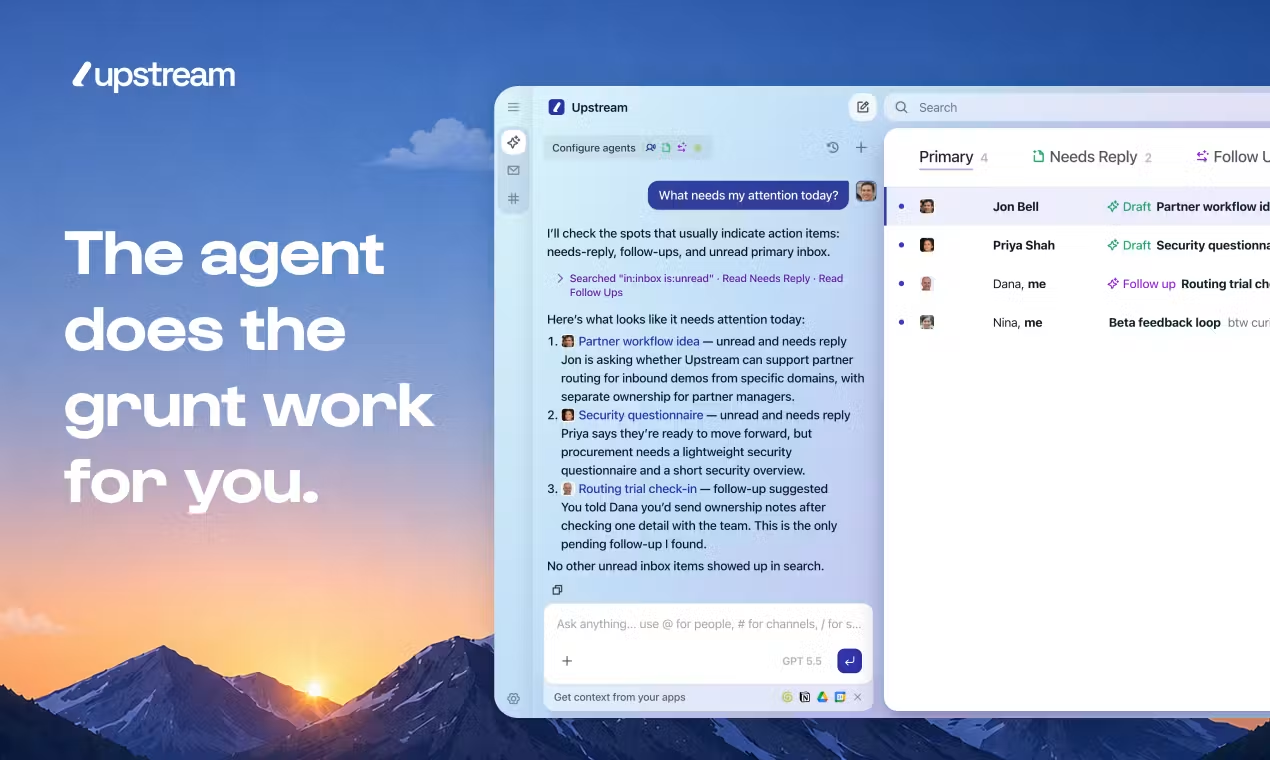
Upstream is an AI email client from Upstream Labs (Y Combinator–backed), built for individuals and small teams. It does more than list messages: when you open the inbox, mail is split into needs reply, can wait, and can ignore; drafts follow your wording habits, and follow-up threads return with suggested replies at the right time. Teams can share conversations in channels, comment privately, and connect the inbox to external Agents. If sorting and follow-ups eat your day—and you do not want a separate AI window outside your mail client—this all-in-one layout maps closely to that workflow.
Key Features
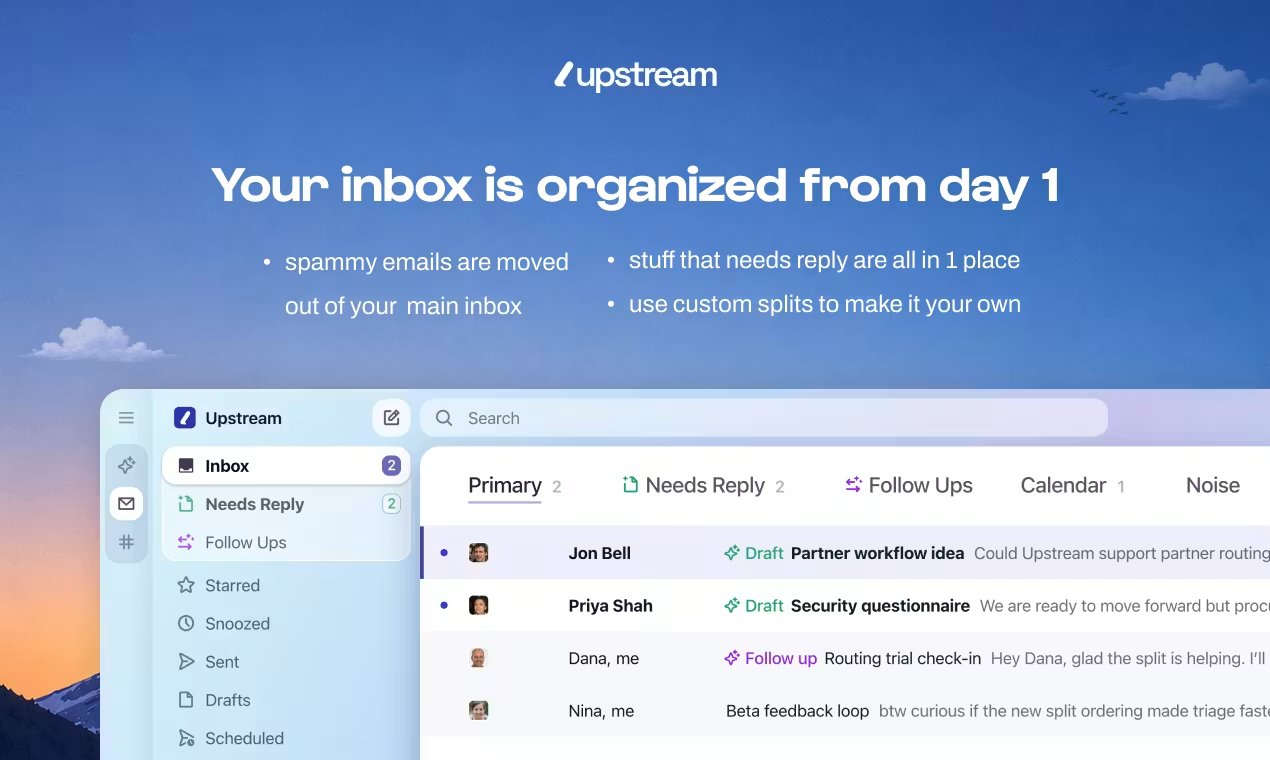
- Pre-sorts messages into needs reply, can wait, and can ignore when you open the inbox
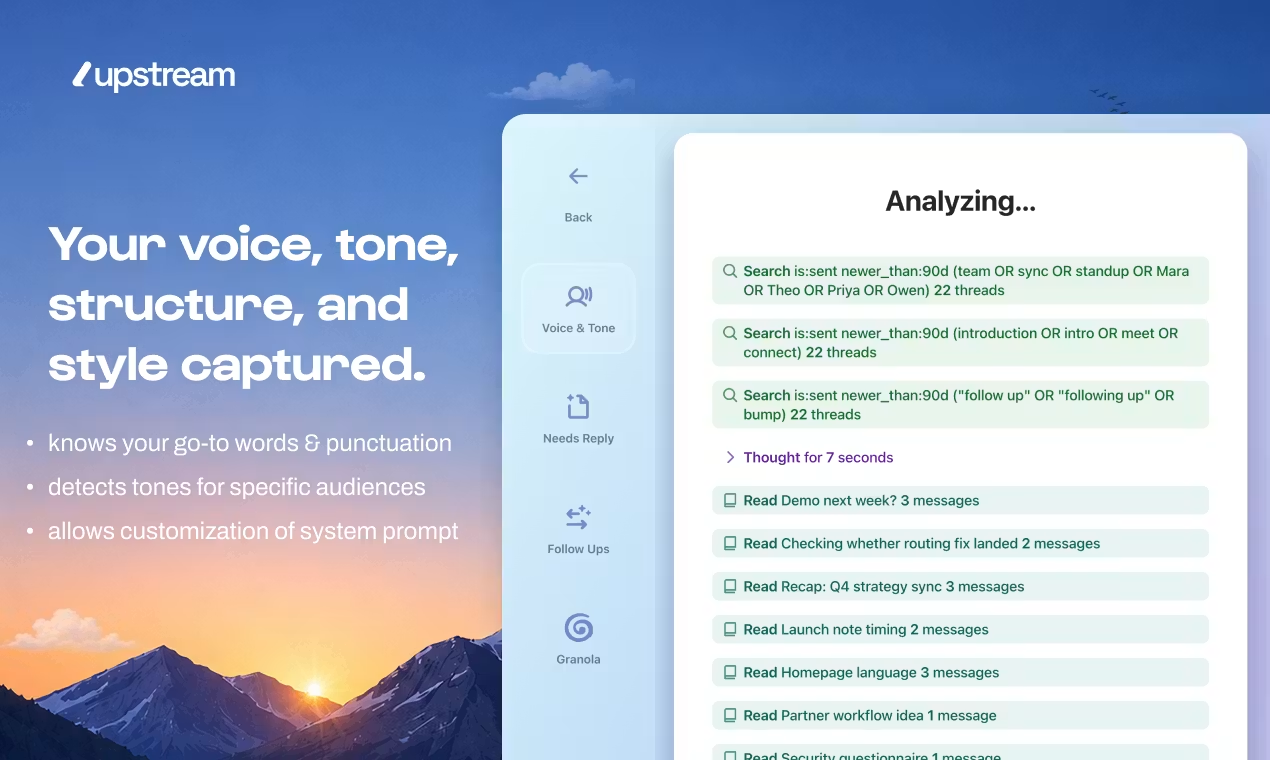
- Learns your writing style and drafts replies in a similar tone from thread context
- Schedules follow-ups to bring important threads back with suggested replies
- Organizes mail with Splits and channels by project or team instead of one timeline
- Lets teammates share conversations without forwarding and comment privately on threads
- Connects once so Agents and MCP can call mail actions from external tools
Use Cases
- A founder opens the needs-reply split in the morning, tweaks an existing draft, and sends
- Sales reps rely on smart follow-ups to return prospect threads with suggested replies on schedule
- A small team discusses a customer email in a shared channel instead of forwarding copies
- Heavy mail users route newsletters and cold outreach to Noise so the main inbox stays work-focused
- Developers plug Upstream into Agent pipelines so automation can query or act on mail directly
Who is it for?
- Professionals who handle large daily volumes and lose time to sorting and drafting
- Small teams that need shared mail context without constant forwarding (Core supports up to 5 seats)
- Individual writers who want AI drafts that match personal tone, not generic templates
- Technical teams building Agent workflows that treat the inbox as a callable interface
- Users who only need basic send/receive or are wary of AI writing and cloud processing (lower fit)
- Larger orgs needing full enterprise governance and dedicated support (evaluate Max or request a demo)
How It Compares to Similar Tools?
Gmail and Outlook excel at rules-based filtering and reliable send/receive; Upstream bakes AI pre-sorting, tone-aware drafts, and timed follow-ups into one client. Superhuman and Hey lean toward speed and reading experience; Upstream adds team channel sharing and Agent integration. If you need standard IMAP or strict on-prem compliance, staying on existing tools is often simpler; if the pain is slow sorting, tiring drafts, and missed follow-ups, compare its Splits and Voice & Tone settings.
Pricing Details
Upstream Core: Free forever. Includes tone-aware AI drafts (7/week), smart follow-ups (3/week), up to 3 audience-specific voices, Split inboxes, team comments, unlimited channels and search, up to 5 team seats, and mobile access.
Upstream Pro: $20 per member/month (about 20% off with annual billing). Adds unlimited AI drafts and follow-ups, fully customizable voice and tone, advanced models (full OpenAI and Claude families), control over which mail needs replies and follow-ups, private channels, unlimited comment history, unlimited team members, 1-on-1 training, optional removal of the “Sent with Upstream” signature, and multiple accounts.
Upstream Max: $60 per member/month (billed yearly). Adds personal AI agents, team-wide automations, enterprise security and governance, and dedicated support and onboarding; demo required. See https://www.upstream.do/pricing for the latest prices and limits.
FAQs
Q: Can I use Upstream for free?
A: Yes. Core is free forever with Split inboxes, limited AI drafts and follow-ups, and up to 5 team seats; heavier AI use and unlimited collaboration require Pro or Max.
Q: How is it different from general AI writing tools?
A: Upstream is a full mail client—it pre-sorts the inbox, drafts per thread, and resurfaces follow-ups at the right time, not just text generation.
Q: Can teams share mail without forwarding?
A: You can grant view access, comment privately in context, and use channels plus auto-routing to group messages by project.
Q: Can I connect external AI Agents?
A: The For Agents direction supports calling the inbox from Agents after connect; Max adds personal agents and team automations—see official docs for integration details.
Why We Recommend
Sorting, drafting, and follow-ups live in one surface, so you switch less between a mail client and a standalone AI tool. Founders and sales roles who clear inbox daily often start with threads that already need a reply; free-tier AI counts and seats cap out, so power users should check Pro quotas. Versus speed-first clients like Superhuman, the edge here is Agent collaboration and shared threads—not only shaving clicks while reading.


