
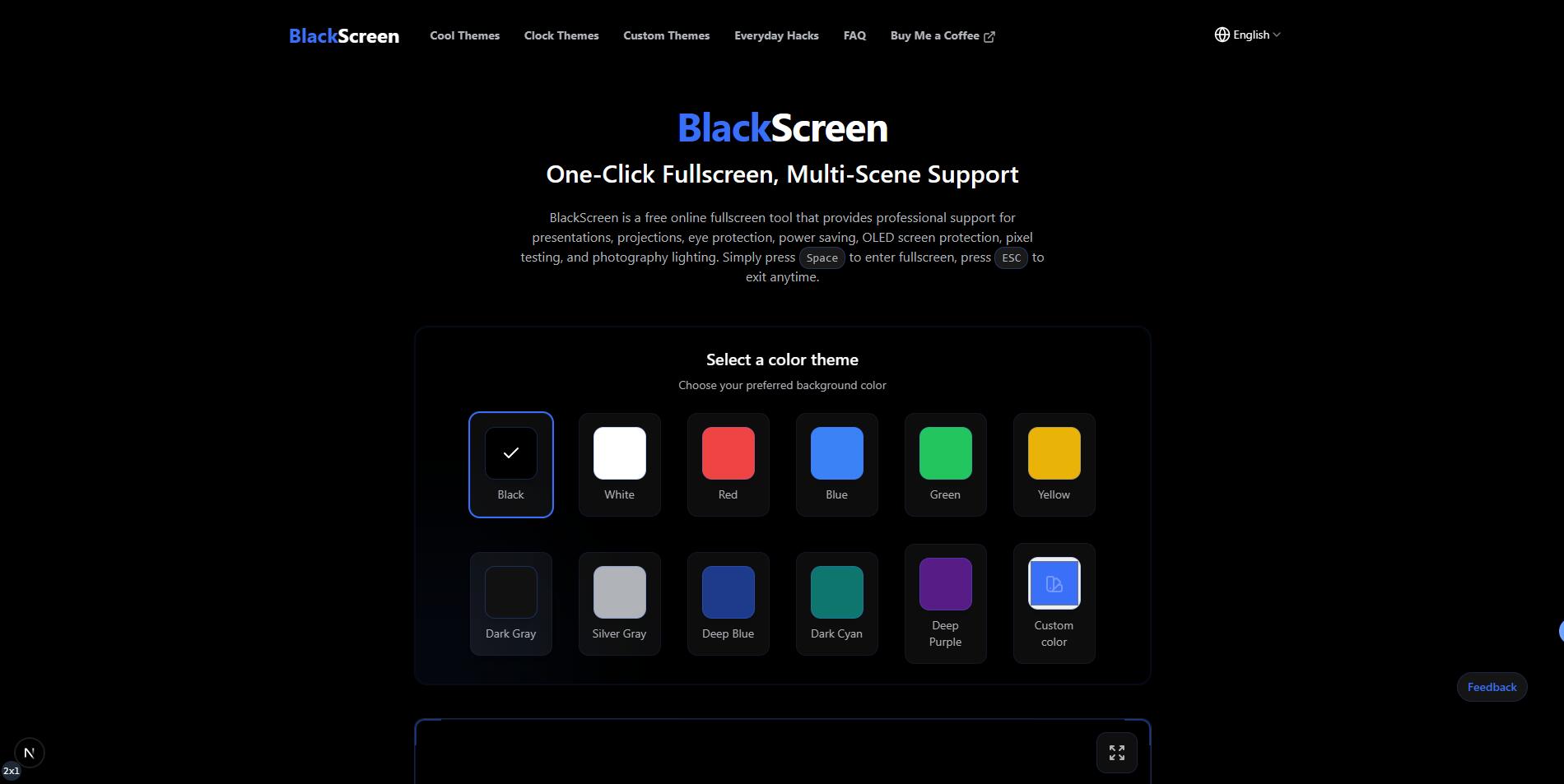
What website is this?
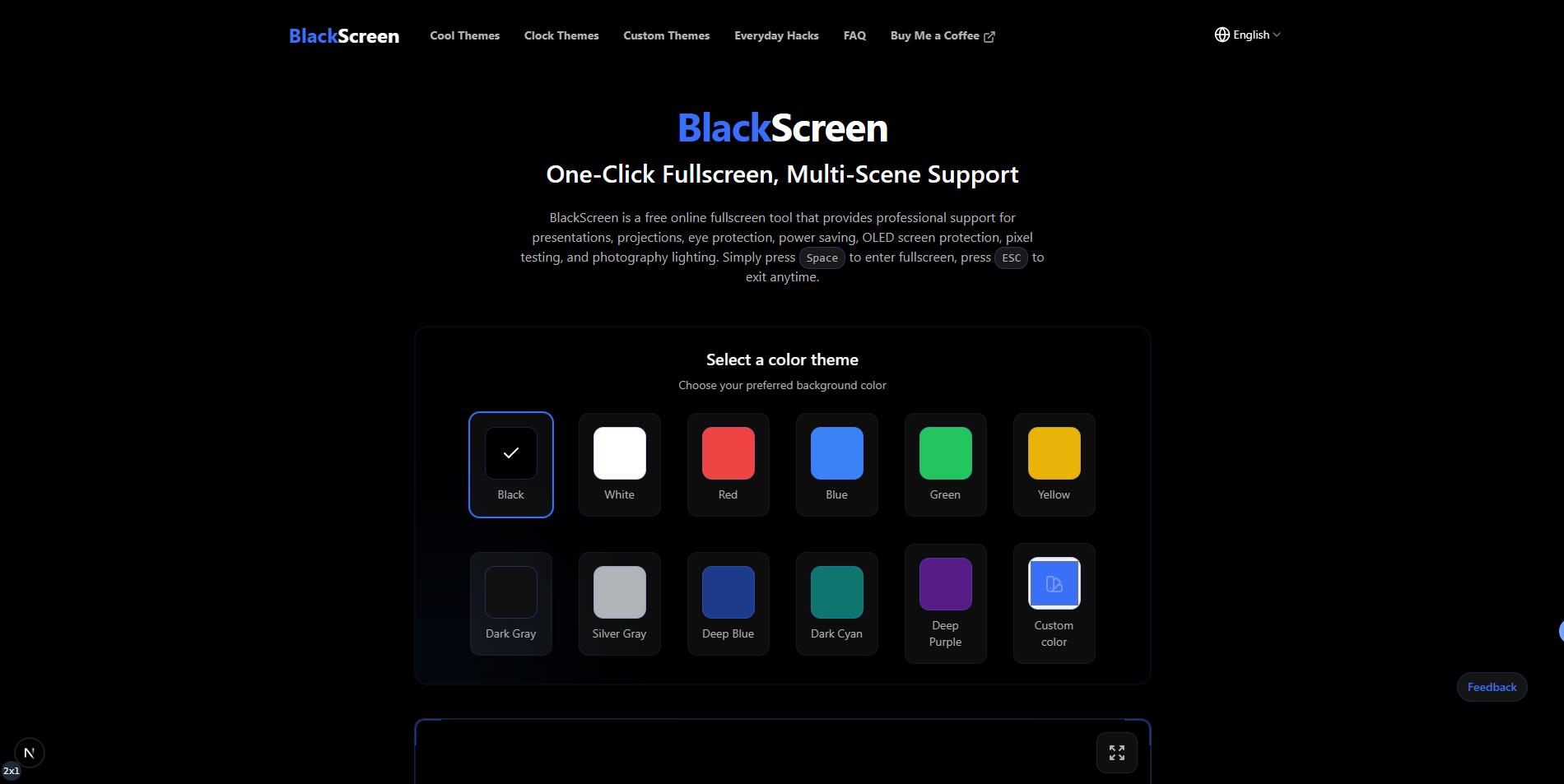
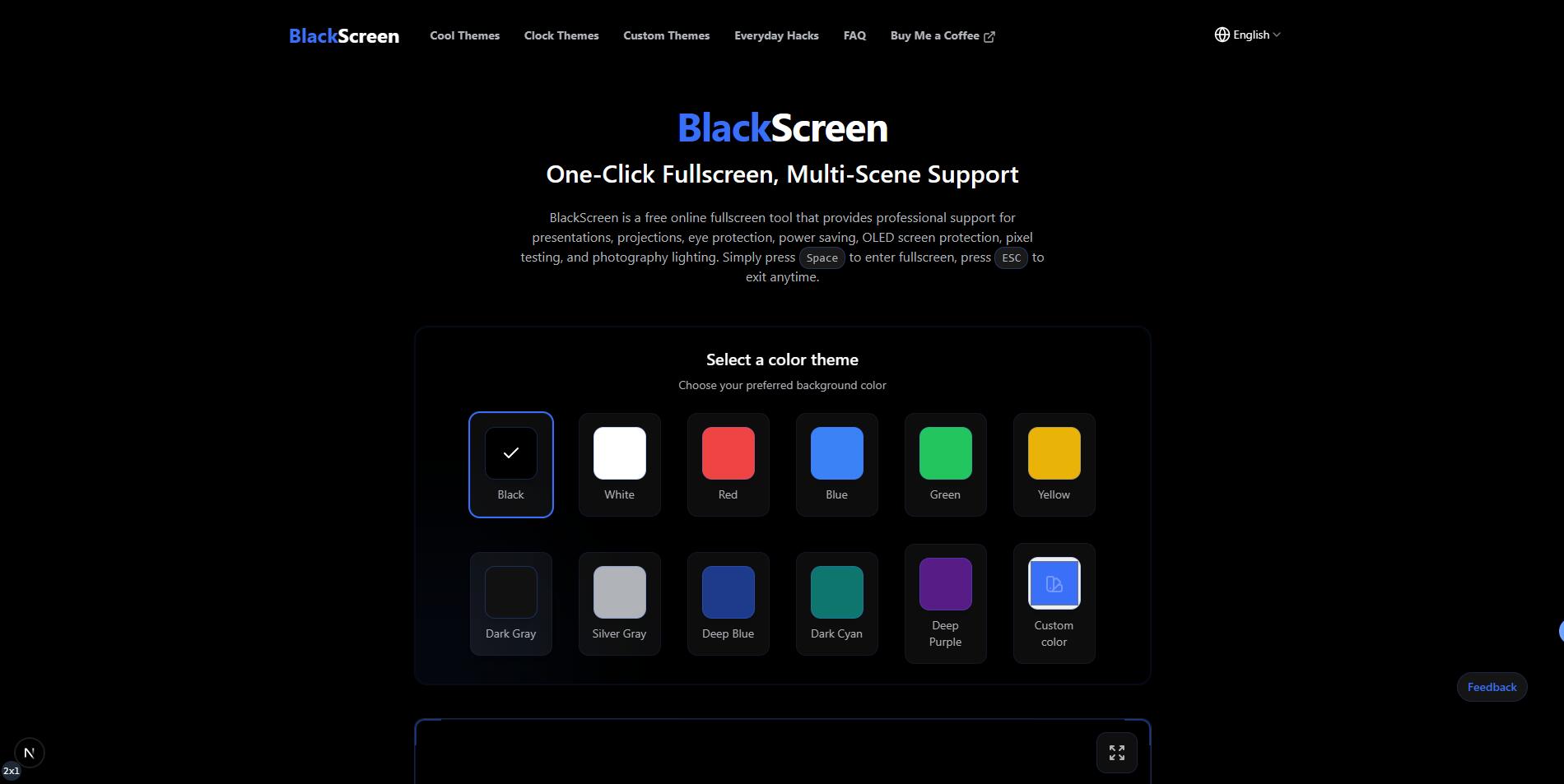
BlackScreen is a browser-based fullscreen display tool. Its core purpose is to quickly switch your screen to a solid color or custom background, reducing desktop distractions for presentation, break, and screen-care scenarios. It has a low learning curve: press Space to enter fullscreen and ESC to exit. It also offers resolution downloads, a rest timer, and theme extensions. Compared with install-based software, it is better suited for temporary use, cross-device access, and lightweight tasks.
Key Features
- Press Space once to enter fullscreen, and use ESC anytime to exit.
- It provides multiple preset solid colors, plus custom colors and image uploads.
- You can download backgrounds from 480p to 8K, including custom dimensions.
- A built-in eye-rest timer helps schedule breaks during long screen sessions.
- Pure black mode supports OLED pixel-off scenarios for power saving and wear reduction.
Use Cases
- Students or remote workers can use solid fullscreen during focus sessions or Pomodoro blocks to hide notifications and visual clutter.
- Instructors and meeting hosts can switch to a black or unified background before projection for smoother transitions and attention resets.
- OLED device users can run pure black fullscreen during idle or display gaps to reduce continuous pixel lighting pressure.
- Photographers and content creators can use solid colors or custom images as quick lighting or background references during setup.
Who is it for?
- Students, teachers, presenters, and office users who need quick distraction-free fullscreen mode.
- OLED display users who care about pixel aging and power management.
- People who prefer lightweight, no-install tools that work directly in the browser.
- Not ideal for users who need complex time management, team boards, or multi-step automation workflows.
How It Compares to Similar Tools?
Based on the website content, BlackScreen is positioned as an instant fullscreen background utility. It emphasizes speed, no installation, and flexible temporary use across scenarios, rather than being a heavy productivity platform.
If your main need is presentation control, focus masking, or OLED black-screen maintenance, this type of lightweight web tool is usually the more direct choice. If you care more about advanced workflow orchestration, team collaboration, or reporting, a fuller focus/collaboration product may be a better fit.
Pricing Details
Public homepage information indicates the tool is free to use, with no ads, no subscription fees, and no account required.
There is currently no separate pricing page or plan breakdown visible, so premium tiers or region-specific policies cannot be confirmed at this time. Pricing and availability should follow the latest official website information.
FAQs
Q: Is BlackScreen completely free?
A: According to the homepage copy, it is currently free to use and marked as ad-free, subscription-free, and account-free. Since no dedicated pricing page is shown, future policy changes should still be checked on the official site.
Q: Do I need to install an app or browser extension?
A: No. It is a web tool. You can open the site, press Space to enter fullscreen, and press ESC to exit, which works well for quick use across devices.
Q: Is it suitable for long-term OLED screen use?
A: The homepage explicitly mentions OLED protection scenarios via pure black mode. Actual outcomes still depend on panel type, usage duration, and brightness settings, so it is best used together with regular screen-care habits.
Why We Recommend
BlackScreen is valuable because it turns fullscreen solid-color display into a low-friction web utility: open and use immediately, with consistent controls and clear scenarios.
When you need focus masking, presentation transitions, or OLED black-screen maintenance, it is lighter and faster than install-based tools.
If your goal is complex collaboration or deep task management, this is not a replacement, but it remains practical as an everyday quick utility.


