

What website is this?
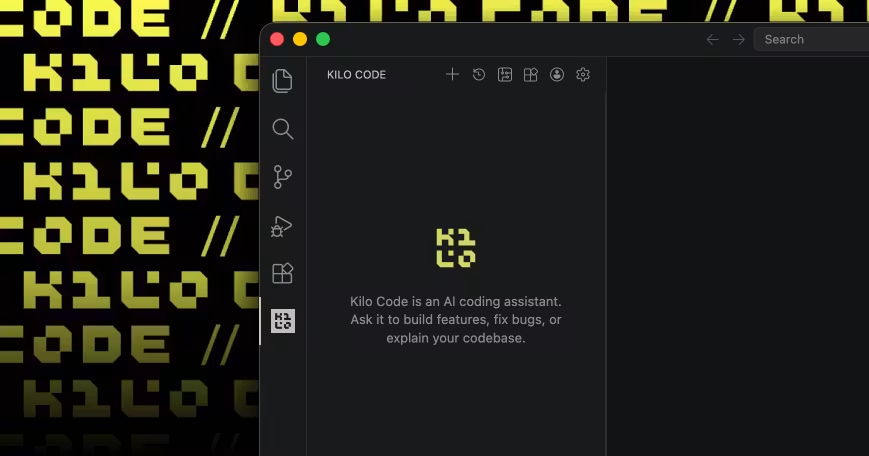
Kilo (Kilo Code) is an open-source AI coding agent for developers across VS Code, JetBrains, the CLI, and the cloud. It splits writing, refactoring, architecture planning, and debugging into dedicated agent modes, with inference via your own API keys, local Ollama or LM Studio, or pay-as-you-go access to 500+ models through Kilo Gateway. Unlike closed AI editors, the core is auditable and forkable for self-hosting; Gateway bills at provider rates with no markup. For always-on chat-bot-style automation, there is a separate hosted product, KiloClaw.
Key Features
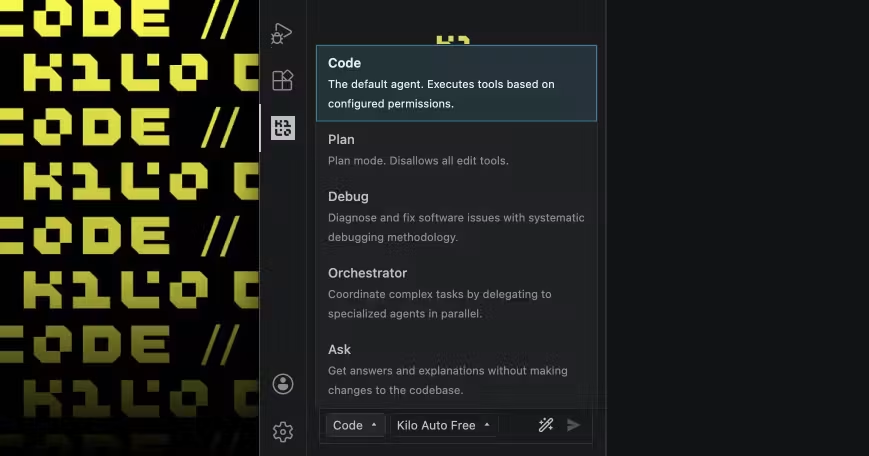
- Switch agent modes in VS Code, JetBrains, and the CLI to code, refactor, and debug
- Use Architect, Code, and Debug modes to separate planning, implementation, and error tracing
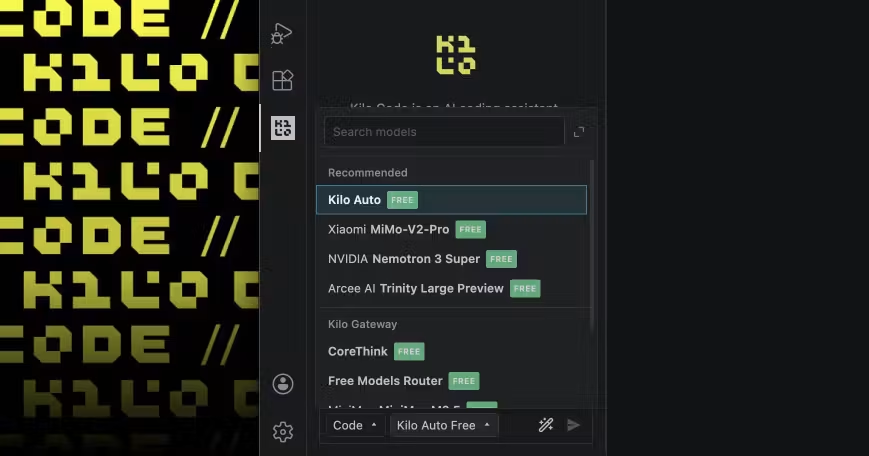
- Bring your own Anthropic, OpenAI, Google, and other keys, or connect local models and Kilo Gateway
- Auto Model routes requests by task to Frontier, Balanced, Free, and other cost tiers
- Cloud agents with isolated worktrees hand off work between IDE and browser sessions
- KiloClaw deploys managed OpenClaw in one click, with Telegram, Discord, Slack, and scheduled tasks
Use Cases
- Solo developers writing features in VS Code with the free extension while controlling inference cost via their own keys
- Tech leads opening Architect before a large change to get a structured plan before coding
- Small teams on Teams plans centralizing billing, shared agent presets, and usage analytics
- Users who avoid Docker or SSH running a 24/7 chat-side automation agent via KiloClaw
- Engineers tired of single-model lock-in rotating frontier models at zero markup through Gateway for code review
Who is it for?
- Developers already on VS Code or JetBrains who accept an agent-driven coding workflow
- Technical users willing to configure BYOK or local inference in exchange for model choice
- Small engineering orgs needing team usage visibility, centralized billing, and security controls
- Automation enthusiasts or founders who want OpenClaw capabilities without self-hosting
- Light users who only need inline completion, not whole-repo agent context (likely not a fit)
- Individuals who want one flat price for inference and do not want to estimate API usage (cost homework still required)
How It Compares to Similar Tools?
The axis is open-source transparency, zero inference markup, and multiple entry points. If you care about inspecting prompts, context, and source code, you get more control than black-box IDE plugins; if you want install-and-go with a single vendor monthly bill, Copilot or Cursor is often simpler. Auto Model removes manual model picking; pure BYOK or local routes control cost but add setup overhead. KiloClaw and Kilo Code are two lines: the former is a hosted on-call agent; the latter is a pair-programmer inside the editor.
Pricing Details
Kilo Code is free and open source for individuals; AI inference is billed separately. Teams is $15 per user per month (14-day trial), including team management, shared BYOK, usage analytics, and privacy controls; Enterprise is custom-priced with SSO, audit logs, and SLA. Inference options: $0/month with BYOK or local models; Kilo Gateway with no subscription, pay-as-you-go at provider rates; Kilo Pass from $19/month with monthly credits and up to about 50% bonus credits. KiloClaw standard hosting is $55/month (1-day trial), with inference billed separately. Amounts and entitlements follow the latest pricing page on the official site.
FAQs
Q: Is Kilo Code really free?
A: The extension and CLI are free for individuals; cloud model runs incur separate inference fees via your own keys, Gateway pay-as-you-go, or Kilo Pass credits.
Q: Can I start without a subscription?
A: Yes. Auto Free, BYOK, or local models can start at $0/month; Teams, Kilo Pass, and KiloClaw are optional paid add-ons.
Q: What is the difference between Kilo Code and KiloClaw?
A: Kilo Code is an IDE/CLI pair-programming agent; KiloClaw is managed OpenClaw that runs tasks in chat apps, with inference shareable via Kilo Pass.
Q: How should I choose versus GitHub Copilot?
A: Choose Kilo if you need multi-model access, zero markup, open-source auditability, or cloud/CLI orchestration; Copilot is usually lighter if you only want in-editor completion in one ecosystem.
Why We Recommend
Developers who already manage API keys and dislike paying markup on model lock-in can get open-source agents, mode-based workflows, and task-based model routing in one place. For pair programming, architecture prep, or unified team AI billing, it is often easier to reconcile spend and tiers than with closed assistants. The trade-off is understanding how Gateway, Pass, and Claw relate; if you want one plugin and no bill tracking, map your usage first.


