


What website is this?
Wispr Flow (often shown as Flow in the app) is a system-level voice dictation tool: after installing the Mac, Windows, iPhone, or Android client, you can turn spoken input into text at the cursor in nearly any application. Unlike built-in OS dictation, it emphasizes AI polishing—smoothing filler words, adding punctuation, and tightening phrasing—plus a personal dictionary, voice snippets, and support for 100+ languages. Dictionary entries and preferences can sync between desktop and mobile, which suits knowledge workers who produce a lot of email, documents, and messages and find speaking faster than typing.
Key Features
- Invoke system-level dictation in apps on Mac, Windows, iOS, and Android; text lands in the active input field
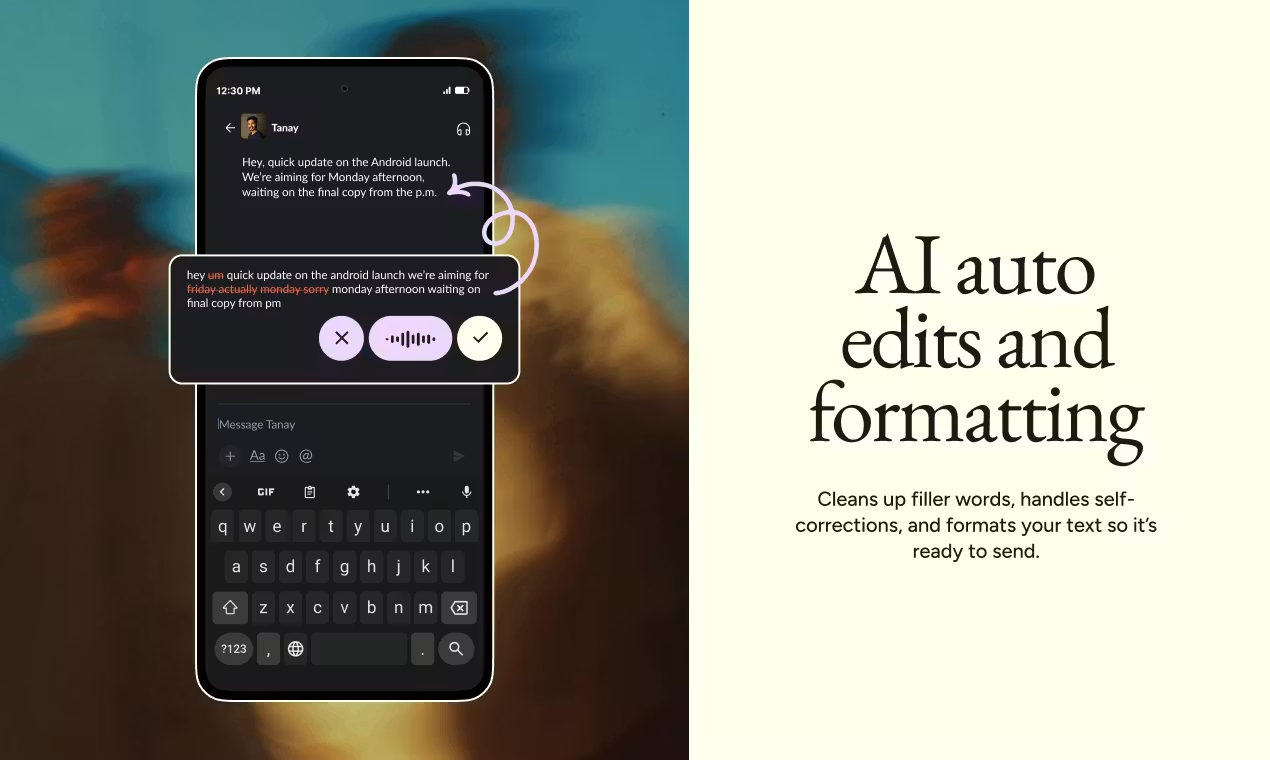
- AI post-processing tidies phrasing and formatting and removes common filler words after you speak
- A personal dictionary learns your names and terms to reduce misrecognition
- Voice snippets: speak a preset cue to insert calendar links, FAQs, and other fixed blocks
- Automatic detection and transcription across 100+ languages, with switching while you dictate
- Pro Command Mode: use voice commands to edit text already on screen
Use Cases
- Developers dictating long prompts or commit messages in VS Code or Cursor while keeping camelCase and snake_case intact
- Support reps organizing replies verbally in a ticket system, then sending polished written responses
- Lawyers and consultants dictating contract edits or case notes, relying on the dictionary for proper nouns
- Managers dictating long replies in Slack or email clients while commuting, without stopping to type
- Students dictating class notes or cover-letter drafts to reduce long keyboard sessions
Who is it for?
- Knowledge workers who write large volumes of email, documents, and IM and prefer speaking to typing
- Individuals or small teams who need shared dictionaries and snippets across apps and devices
- Teams that want centralized billing via Pro, plus shared terminology and reusable snippets
- Professionals handling sensitive data who care about HIPAA options or zero data retention (Enterprise adds stronger compliance)
- Light users whose weekly word count stays under Basic limits (the free tier is often enough)
- People who cannot speak aloud or refuse a voice-first workflow (generally not a fit)
How It Compares to Similar Tools?
Compared with built-in dictation, Flow leads with consistent cross-app behavior plus AI polishing, not raw speech-to-text alone. Compared with meeting transcription tools like Otter, it is closer to live dictation into the cursor than post-meeting summaries. Traditional desktop dictation (e.g., Dragon) leans on local models and industry lexicons; Flow bets on cloud AI editing and four-platform sync, with heavy compliance (SOC 2 Type II, enforced zero data retention) on Enterprise. For low-frequency input, Basic’s 2,000 words per week on desktop may suffice; for archived audio search, dedicated transcription tools are a better match.
Pricing Details
Flow Basic is free: 2,000 words per week on Mac/Windows, 1,000 on iPhone; Android is listed as unlimited for a limited time. Includes custom dictionary and snippets, 100+ languages, Privacy Mode (zero data retention option), and HIPAA-ready status. New sign-ups typically get a 14-day Pro trial; the site states no credit card is required.
Flow Pro: $15/user/month billed monthly, or $12/user/month billed annually (about 20% off). Unlimited words on all platforms, plus Command Mode, prioritized support, early access, and team shared dictionaries/snippets with centralized billing. Students can apply for three months free and 50% off Pro per the site; see the offer page for details.
Flow Enterprise requires contacting sales: everything in Pro, plus SOC 2 Type II, ISO 27001, enforceable HIPAA and Privacy Mode, SSO/SAML, advanced usage dashboards, bulk discounts, and IT admin seats at no extra charge. Prices and regional terms follow the latest page at https://wisprflow.ai/pricing.
FAQs
Q: Does Wispr Flow have a free plan?
A: Yes—Flow Basic with 2,000 words/week on desktop and 1,000 on iPhone; new users can also try Pro for 14 days, with no card required per the site.
Q: Do I need to install a client, or can I use it in the browser?
A: You install the Mac, Windows, iOS, or Android client; the value is system-wide access in apps, not a standalone web editor.
Q: How is it different from built-in dictation or meeting transcription?
A: Flow focuses on cross-app dictation plus AI polishing; OS dictation is basic transcription, while tools like Otter target post-meeting notes—the use cases differ.
Q: How should teams choose between Pro and Enterprise?
A: Pro covers shared dictionaries/snippets and centralized billing for small teams; if you need SSO, enforced HIPAA/zero retention, or SOC 2 Type II, contact sales about Enterprise.


