
What is this website?
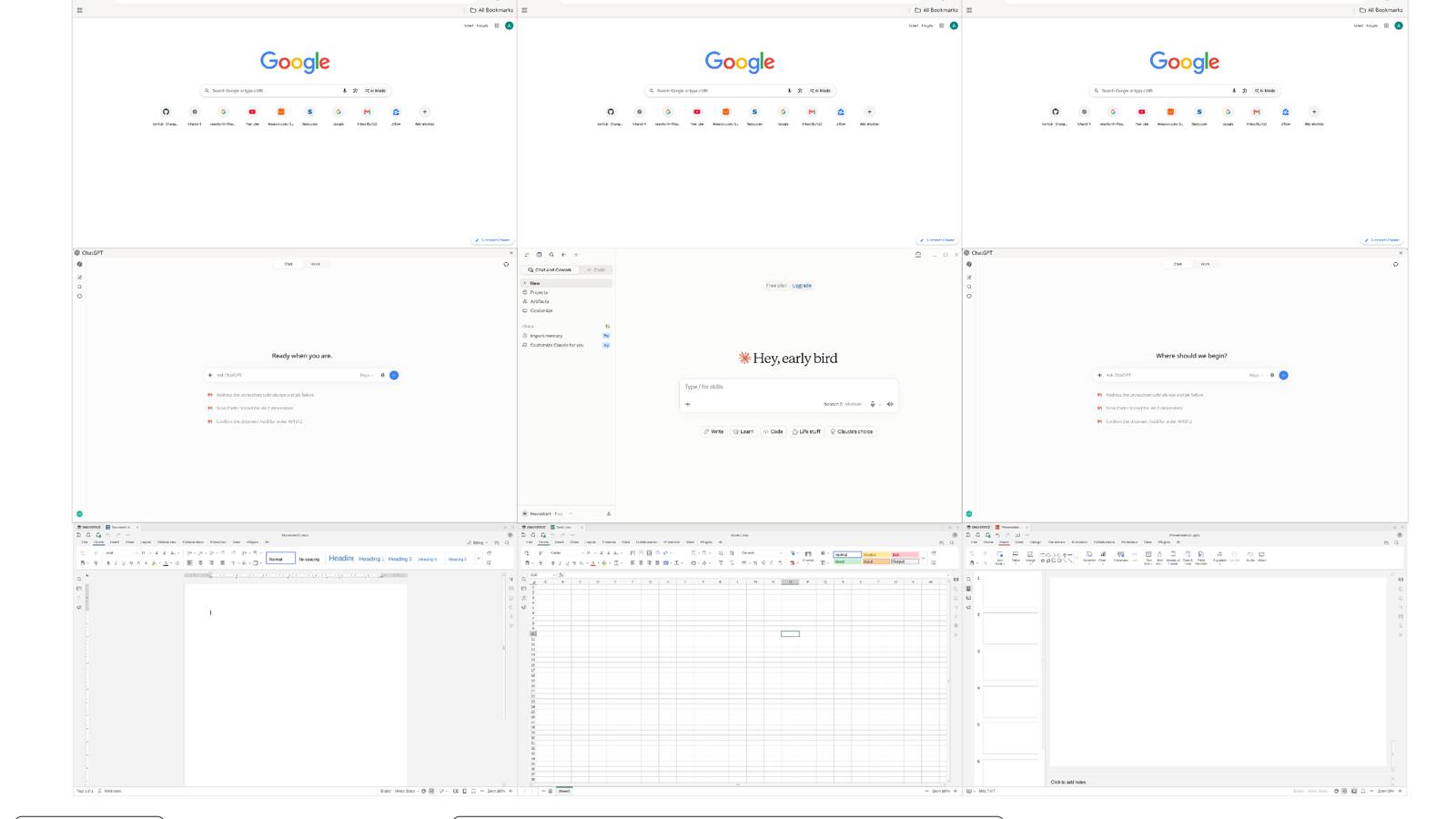
Novastart turns a computer desktop into an infinitely zoomable whiteboard: browsers, office apps, files, and AI agents sit side by side on one canvas instead of stacking across windows and tabs. Canvases can be split by project and remember layout; each agent has its own cursor and keyboard and works visibly inside real app UIs. It fits people and small teams that want a spatial workspace with human–AI co-presence. If you only need a chat bot or a flowchart whiteboard, it is the wrong category.
Core features
- Open browsers, office suites, AI assistants, and similar apps side by side on an infinite canvas, with zoom, pan, and project-based saved layouts.
- AI agents get their own cursor and keyboard to click and type in real app UIs; you can pause, redirect, or take a window back at any time.
- A task can be split across multiple helpers in parallel (the site describes up to about 10 helpers per task), with Agent, Plan, Ask, and Observe modes for different levels of control.
- On a shared team canvas, each person has a cursor and can drive live-streamed windows running on another machine—not take turns in a screen share.
- Two run options: try the App on an existing Windows or Intel Mac machine, or install Novastart OS on a dedicated PC.
- Canvas layout and window positions persist so work is where you left it when you return.
Common use cases
- A project lead lays research pages, a budget sheet, a draft, and AI helpers on one canvas, zooming between detail edits and the full board.
- A small launch team shares a canvas so one person edits the sheet, another revises copy, and a third arranges a roadmap—without waiting for screen-share control.
- For long, multi-agent jobs (for example trip planning steps), watch each helper window on the canvas and correct instructions mid-run.
- Evaluate first with the App on your current computer; move to a dedicated machine only if everyday use looks worthwhile.
Who is it for?
- Individuals who keep many windows open and want spatial layout for project context.
- Creators and operators who need humans and AI to drive real apps on the same board, not only chat in a sidebar.
- Small-team members who want a clickable shared workspace instead of one-way screen sharing.
- A poor fit if you only need a lightweight online whiteboard, or you cannot accept VM/dedicated-install cost and learning curve.
- Also a poor fit if you mainly use Apple Silicon Macs and only want a quick App trial (the site targets the App at Windows or Intel Mac).
How does it compare to similar tools?
Skip “which is best” and check which layer you actually lack:
- If you mainly need chat completion or writing help, sidebar AI tools are usually lighter; Novastart’s focus is agents operating real app UIs on a canvas.
- If you mainly need sticky notes or flowcharts, a traditional collaboration whiteboard is more direct; Novastart is closer to spreading an entire computer across space.
- If collaboration stalls on screen-share handoffs, multi-cursor and cross-machine live windows are the differentiators; if your team already co-edits in the same docs, the gain may be smaller.
- Decide against three checks: infinite-canvas layout, visible multi-agent control, and Team-level shared canvases—plus whether App trial or dedicated OS install is acceptable.
FAQ
Q: Is Novastart a whiteboard app or an operating system?
A: It is positioned as an infinite-canvas OS workspace: you can run the full environment as an App on your current computer, or install Novastart OS on a dedicated PC.
Q: How do the AI agents work?
A: Agents click and type through real UIs with their own cursors; you can pause, change instructions, or reclaim a window. The site says computer-use relies on OpenAI models with your own API key.
Q: What does Free include, and is team collaboration paid?
A: The pricing page lists Free, Pro, and Team. All tiers can use apps; Free limits folders, canvases, and windows; Team includes collaboration; Pro/Team are subscriptions—check the site for current limits.
Q: Will install wipe my current system?
A: The App runs in a window and returns you to your desktop when closed. Novastart OS takes over a whole PC (the site suggests using a machine you can dedicate). On Ubuntu, there is also a package path that adds Novastart without replacing the existing desktop.


