
What website is this?
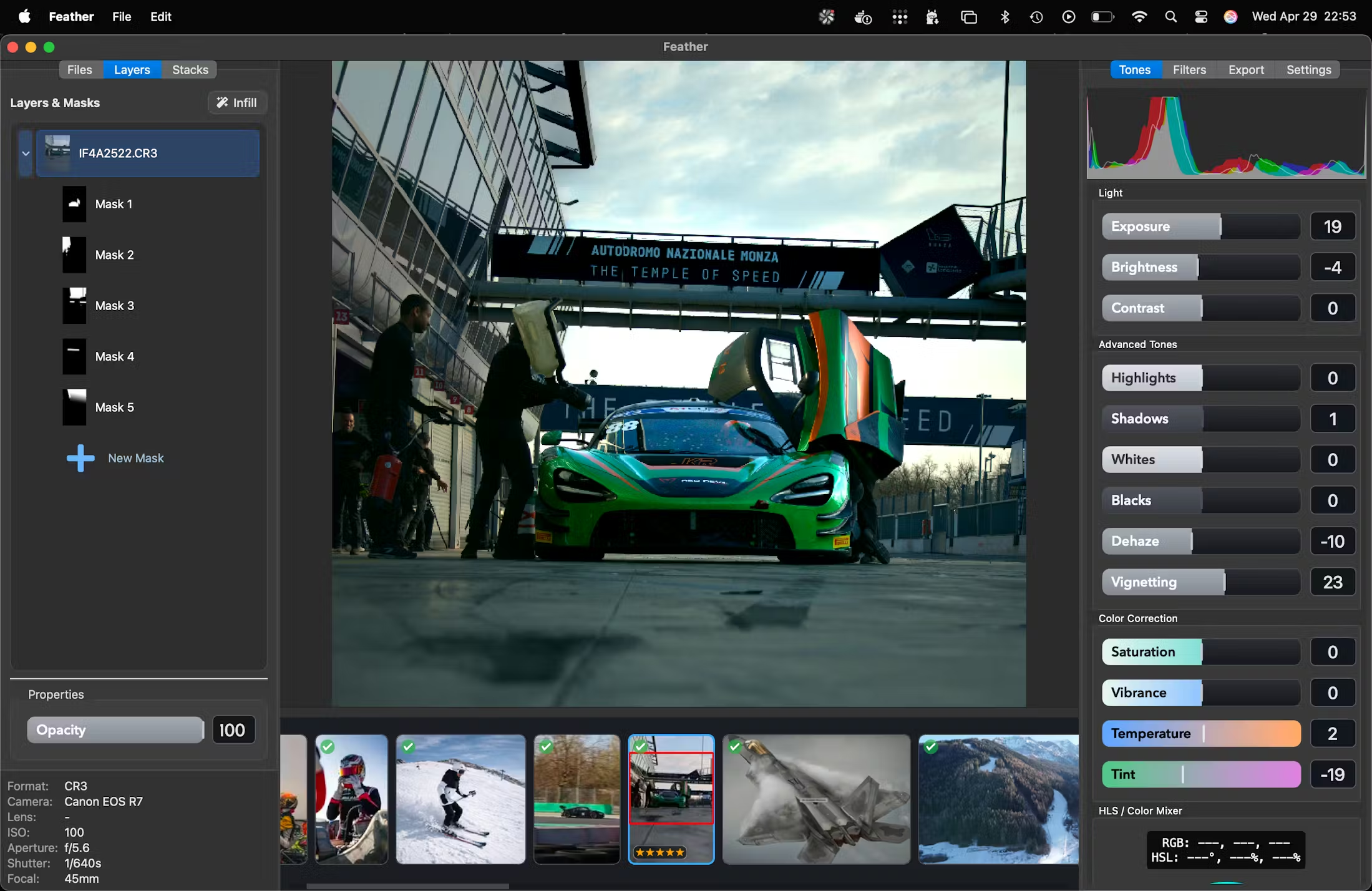
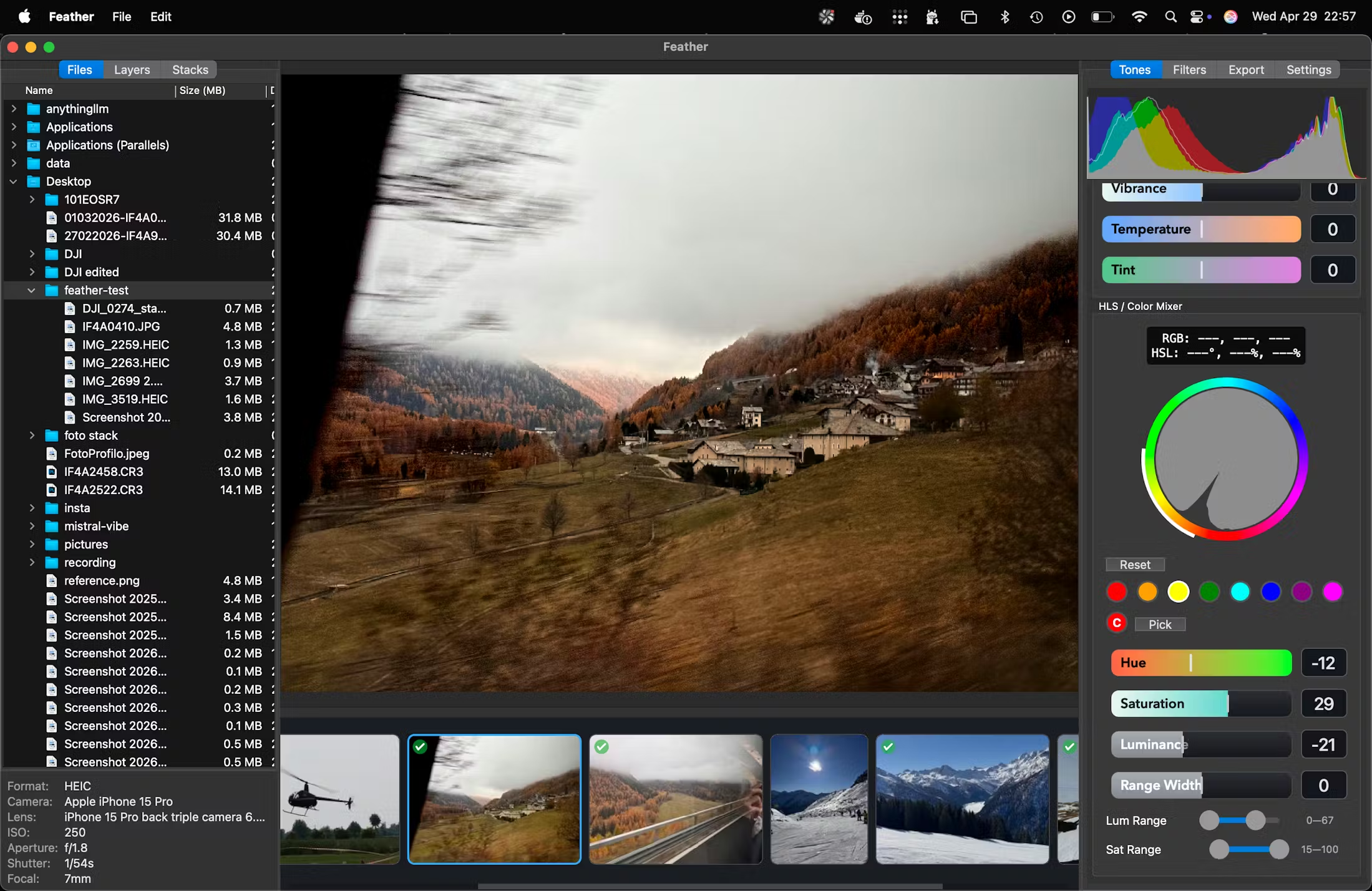
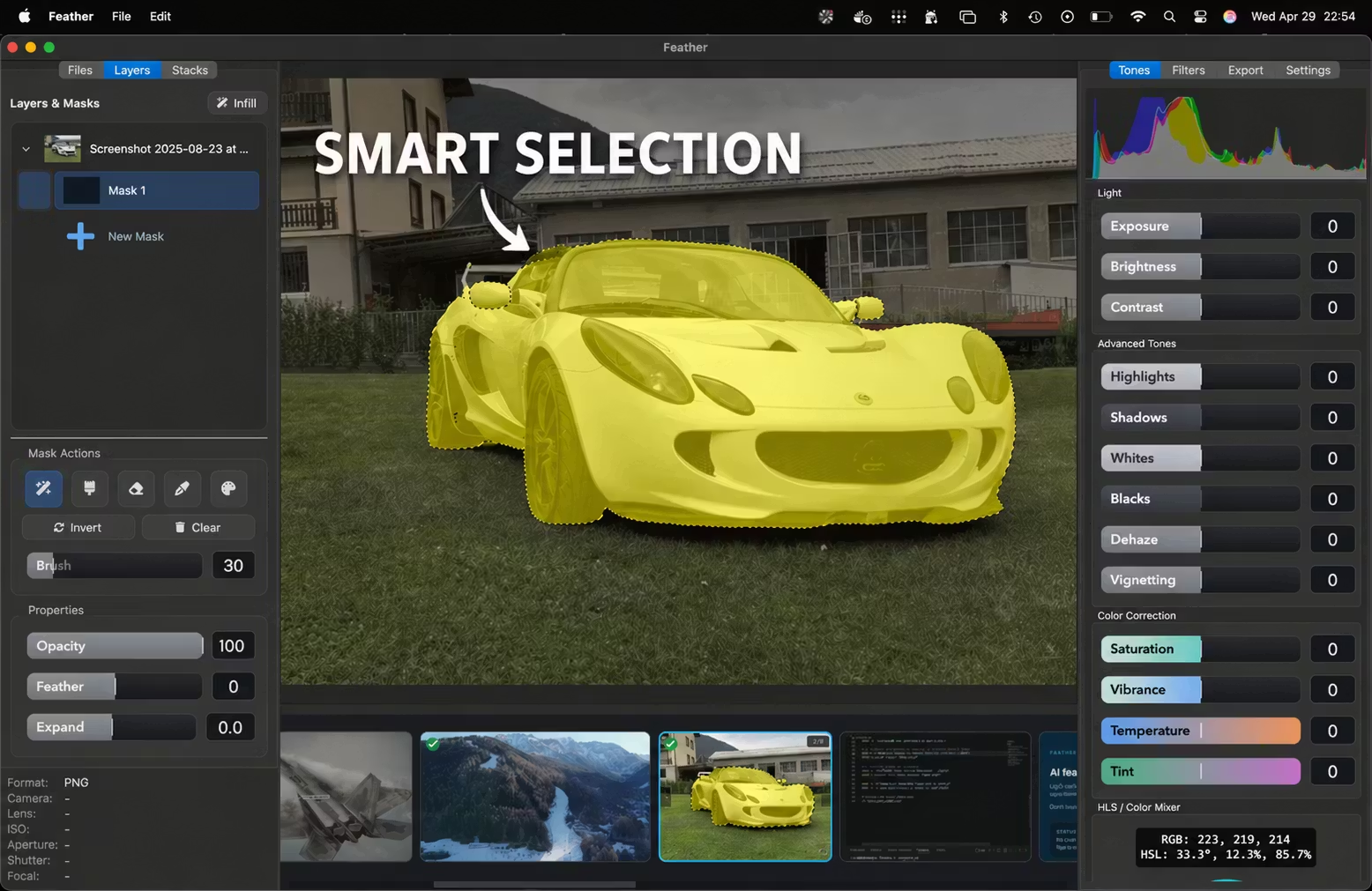
Feather (feather-editor.it) is a macOS-focused, Apple Silicon–oriented local image processing app: it bundles multi-image alignment with smart blending, SAM2 semantic segmentation with multi-masks, 8-channel HSL, SOFTSHARP adaptive sharpening, generative canvas infill (GenAI Infill), and trackpad-first navigation into an offline-first workflow. It fits people who keep bursts or RAWs on disk for stacking, repair, and local re-shaping; the Windows client is labeled Coming Soon on the site, so cross-platform plans should be verified before you commit.
Key Features
- Sub-pixel alignment with smart blending (beta) for multi-frame compositing.
- SAM2-driven fast segmentation with parallel multi-masks for subject vs. background.
- 8-channel HSL floating-point color control per channel.
- SOFTSHARP adaptive edge-aware sharpening that lifts texture while controlling noise.
- GenAI Infill: extend the canvas or remove distractions with context-aware texture and lighting.
- Trackpad-centered navigation and gestures tuned for MacBook workflows.
Use Cases
- Landscape photographers align and blend dozens of bracketed frames, then finish with adaptive sharpening while keeping bulk assets off the cloud.
- Product retouchers separate subjects from tricky reflective edges faster using SAM2 multi-masks instead of tracing every curve by hand.
- When you need a wider banner crop or need poles and bystanders gone, try GenAI Infill locally before deciding whether more manual work is worth it.
- Creators who edit lightly on a MacBook on the go rely on pinch and drag gestures to browse and tweak without living in nested menus.
Who is it for?
- Apple Silicon users who want alignment, stacking, segmentation, and repair mostly on-device.
- People who need finer-than-usual HSL control to fix localized color casts.
- Anyone uncomfortable uploading full-resolution masters in bulk to browser editors.
- Not a fit: Windows-first users who cannot accept a “coming soon” client; teams that need heavy cloud review workflows; people who insist on a phone-only end-to-end pipeline.
How It Compares to Similar Tools?
Feather reads more like a converged “heavy local compute + photo stacking, segmentation, and generative repair” tool than a template hub or online collaboration surface. If you want template-plus-social integration, platform-style apps are a better first stop; if you need deep plugin ecosystems and traditional suite depth, stay with what you already trust; if you only need quick crops and exports, lightweight browser tools are often enough.
Pricing Details
The homepage content reviewed here did not list tiered public pricing. Public positioning commonly describes a one-time purchase for long-term use; exact price, device limits, upgrade coverage, and refund rules are governed by the latest purchase and legal pages on the official site.
FAQs
Q: Does Feather only run on Apple Silicon?
A: The download area highlights macOS (Apple Silicon); Intel Mac or VM compatibility depends on official system requirements.
Q: Does generative infill upload my originals to company servers?
A: The product emphasizes on-device processing; if activation, sign-in, or model distribution touches the network, follow the privacy policy and product documentation.
Q: Is SAM2 masking the same as fully automatic matting?
A: Clear subjects speed up a lot; hair, translucency, or low-contrast edges usually still need manual cleanup.
Q: What does the Smart Blending beta label mean?
A: The feature is still expanding and hardening edge cases—keep layered intermediates and read release notes for professional jobs.
Q: How do I choose between this and subscription cloud editors?
A: If offline assets and a one-time purchase narrative matter most, Feather aligns better; if you need always-on browser collaboration, other categories fit better.
Q: When will the Windows version ship?
A: The site shows Coming Soon with no committed date—watch official announcements.
Q: Does my purchase include future major upgrades?
A: Major-version coverage is defined in the end-user license text; do not assume upgrade rights without reading it.
Q: Can I use it without a pro display?
A: Yes, but color and contrast judgments depend on your panel; still proof critical deliverables on a calibrated setup when possible.
Why We Recommend
The offline chain from alignment through segmentation, color, and repair makes privacy trade-offs easier to reason about. Trackpad-oriented interaction matches mobile editing cadence. The one-time purchase framing eases subscription fatigue, but until Windows plans and license clauses are read end to end, finish the download and legal pages before you buy.


