
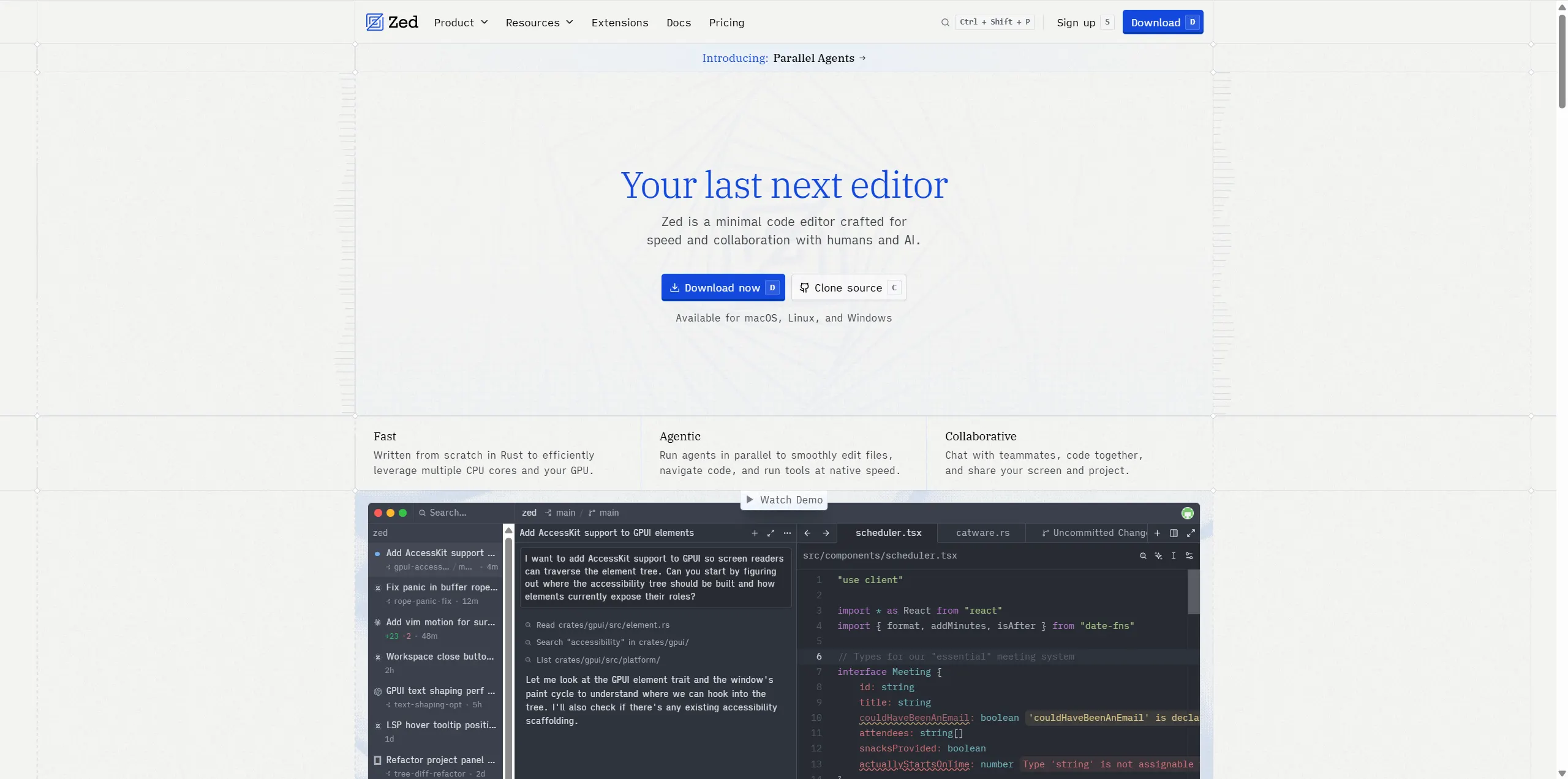
What website is this?
Zed is a code editor for developers focused on high-performance editing, multiplayer collaboration, and AI-assisted programming. It is built in Rust, emphasizes low-latency interaction, and combines debugging, Git, extensions, and AI into one workflow. Compared with editors that rely heavily on plugin stacking, Zed is more centered on native integration and collaboration-first design, which suits teams that want coding, review, and coordination in one tool.
Key Features
- Delivers low-latency editing with a Rust and GPU-based rendering architecture.
- Supports parallel agent threads with optional worktree isolation per task.
- Provides native Git workflows for commits, diffs, and branch switching.
- Includes built-in debugging with multi-language DAP support.
- Connects AI workflows through hosted models, external agents, or API keys.
Use Cases
- A team can run refactoring, testing, and bug-fix tasks in parallel, then review and merge results in one place.
- A solo developer can use edit prediction and inline assistance to speed up repetitive code updates.
- A maintainer working across projects can isolate experiments in worktrees without disrupting the main branch.
- An engineering group can code and debug in the same editor while reducing context switching to external tools.
Who is it for?
- Developers who care about editor responsiveness and keyboard-driven workflows.
- Teams that need shared context, collaboration, and parallel task execution.
- Engineers who want AI assistance integrated into daily coding routines.
- Users who prefer Vim/Helix style interaction with modern IDE capabilities.
- Not ideal for cases that only need minimal text editing with little collaboration.
How It Compares to Similar Tools?
Zed is positioned as a high-performance native editor with built-in collaboration and AI workflows, rather than a tool assembled mainly through extensive plugin chains. If you prioritize long-established ecosystems and deep plugin history, traditional editors may still fit better. If you prioritize startup speed, editing latency, parallel agent workflows, and native collaboration, Zed is often the stronger first choice to evaluate.
Pricing Details
- Personal:
$0/forever, with core editor capabilities and 2,000 accepted edit predictions per month. - Pro:
$10/month, with unlimited edit predictions and$5monthly token credits; overages are usage-based. - Enterprise: contact-sales model with capabilities such as SSO, analytics, and shared billing.
- Pro includes a two-week free trial, and the pricing FAQ mentions
$20token credits under trial rules. - Zed also supports bring-your-own API keys and external agents for flexible cost control.
- Pricing, credits, and model policies may change, so verify against the latest official pages.
FAQs
Q: Can I use Zed for free long term?
A: Yes. The official pricing page includes a Personal plan designed as a free, ongoing option.
Q: Which operating systems are supported?
A: The homepage lists macOS, Linux, and Windows as supported platforms.
Q: Can I use AI without paying for Pro?
A: Yes. Documentation states you can use external agents or your own API keys.
Q: How am I billed after Pro included credits are used?
A: The pricing page states additional usage is billed by consumption after included credits are exhausted.
Q: Does Zed support multiplayer collaboration?
A: Yes. Collaboration is a core product direction and appears across its feature pages.
Q: What is the practical benefit of parallel agents?
A: They let you run multiple task threads at once and isolate work when needed using worktrees.
Q: Can all AI features be turned off?
A: Yes. The docs provide a disable_ai setting for fully disabling AI features.
Why We Recommend
Zed combines high-performance editing, collaboration, and AI workflows in a single environment, which helps reduce tool-switching overhead. For teams that run multiple workstreams in parallel, its thread-based workflow and native integrations are practical advantages. Before adopting, map hosting preferences, collaboration intensity, and budget to the plan model.


