
What website is this?
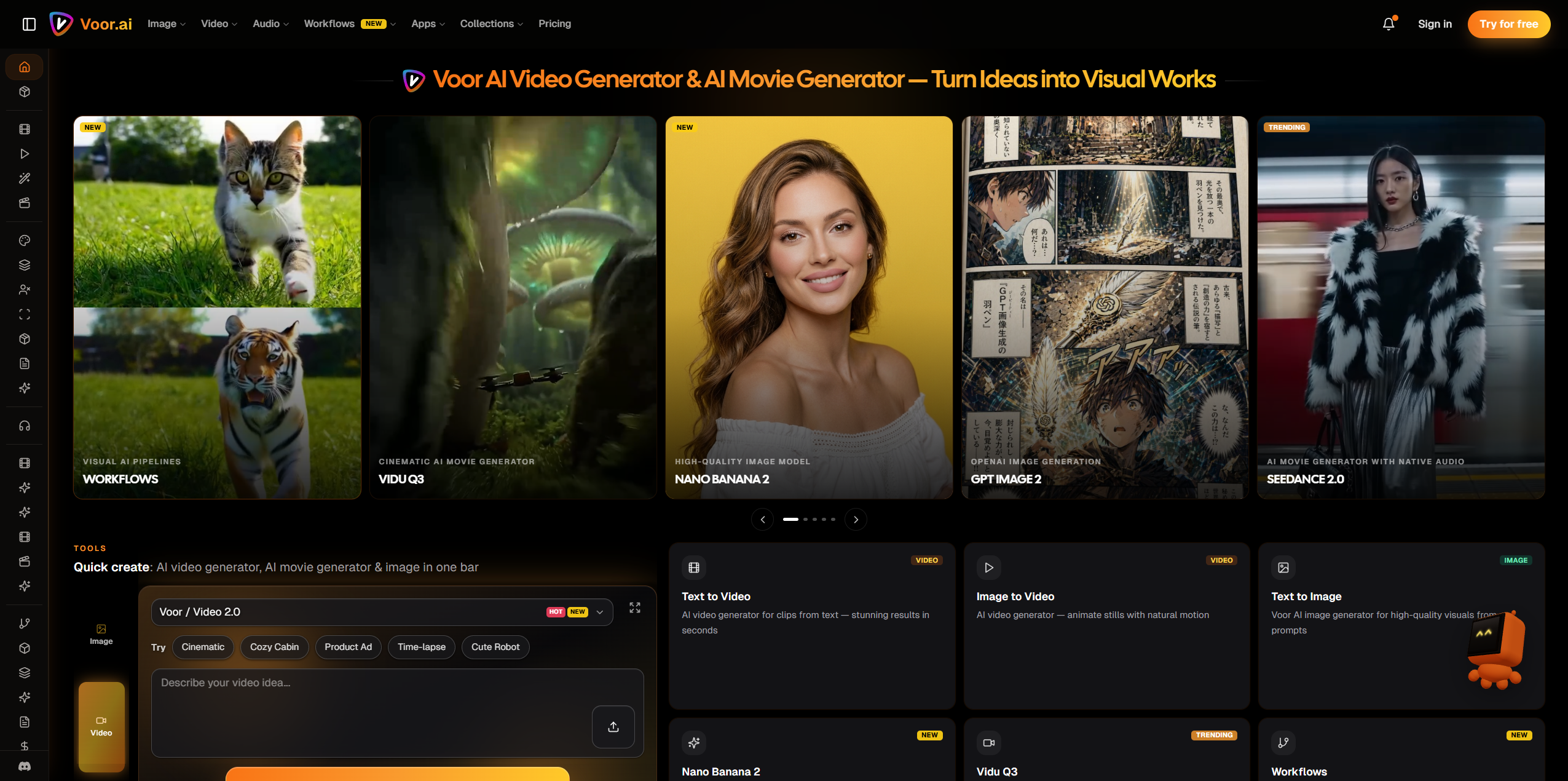
Voor AI (voor.ai) is a browser-based AI creation studio that brings video, image, and some audio-related generation workflows into one online interface. It is not a single-model landing page. Instead, it organizes text-to-video, image-to-video, text-to-image, model-specific pages, and task-focused workflows in one place so users can switch generation methods based on the job. It is better suited to people who need to test models repeatedly, produce short-form assets, or validate ideas quickly than to users doing heavy local post-production.
Key Features
- Generate text-to-video, image-to-video, and text-to-image content within the same site.
- Browse workflow pages organized by model or task and jump directly into the matching generator.
- Upload images, enter prompts, and set common generation parameters such as duration and aspect ratio.
- Use audio-related video workflows, such as combining an image and an audio file into a downloadable video.
- Pay through a shared credits system across different models and generation pages.
Use Cases
- Content creators making Shorts, Reels, or ad tests can compare outputs from different video models without leaving one platform.
- E-commerce or brand teams with product photos can turn static images into short motion clips for product marketing assets.
- Designers and marketers who need posters, covers, or concept art can generate visuals first and then extend them into video clips.
- People making lightweight audiovisual content can combine an image with narration or music into a finished video without opening editing software first.
Who is it for?
- Creators and operations teams that want to use multiple AI video and image models from one browser-based workspace.
- Users who need to make short social clips, product demos, concept tests, or ad assets quickly.
- People who prefer choosing tools by model behavior instead of building their own multi-platform workflow.
- Not ideal for users whose main work depends on long-form editing, multitrack timelines, advanced color work, or professional audio post-production.
How It Compares to Similar Tools?
Based on its public pages, Voor AI is closer to a multi-model creation hub than to a single-model showcase. Its main distinction is that it places text-to-video, image-to-video, text-to-image, model pages, and several task-focused workflows under one shared credits system, which is useful if you want to test models side by side. If your priority is very deep control over one specific model, some specialized tools may go further. If your priority is moving between tasks without switching sites constantly, this kind of aggregated studio is more convenient.
Pricing Details
- New users can access a free trial generation allowance, but eligible models and settings depend on what each generation page shows.
- Lite: $14.99/month with 400 credits per month, including access to all models, no watermark, private generations, and commercial use.
- Pro: starts at $59.99/month with 2,000 credits per month, plus flexible higher-credit packages and priority support.
- Pay as you go: $23.99 one-time for 500 credits, which do not expire and can be used alongside a subscription.
- The yearly pricing page states savings of up to 33%; exact pricing, credits, and limits should be confirmed on the latest official page.
FAQs
- Q: Can I use Voor AI for free?
- A: New users can usually try limited generations for eligible models or settings, but regular use generally requires a subscription or one-time credit purchase.
- Q: Is Voor AI more of a video tool or an image tool?
- A: It supports both, but the homepage structure, model listings, and dedicated hubs suggest that video generation is still the more prominent product line.
- Q: Do I need to install software to use Voor AI?
- A: The public pages show a browser-based workflow for uploading assets, entering prompts, previewing outputs, and downloading results, so local installation is not the default path.
- Q: Is Voor AI suitable for pure audio creation?
- A: It looks more like a video and image generation platform with some audio-related video workflows. It is not a replacement for a traditional audio workstation if advanced audio editing is your core job.
Why We Recommend
The value of Voor AI is less about one specific model and more about putting multiple visual generation entry points inside one browser workspace. For people who need to test video models quickly, add image assets in the same flow, and decide what to produce next, that structure is more efficient than jumping across separate sites. The tradeoff is clear as well: it fits short-form generation and creative validation better than full editing or professional audio post workflows.


