

What website is this?
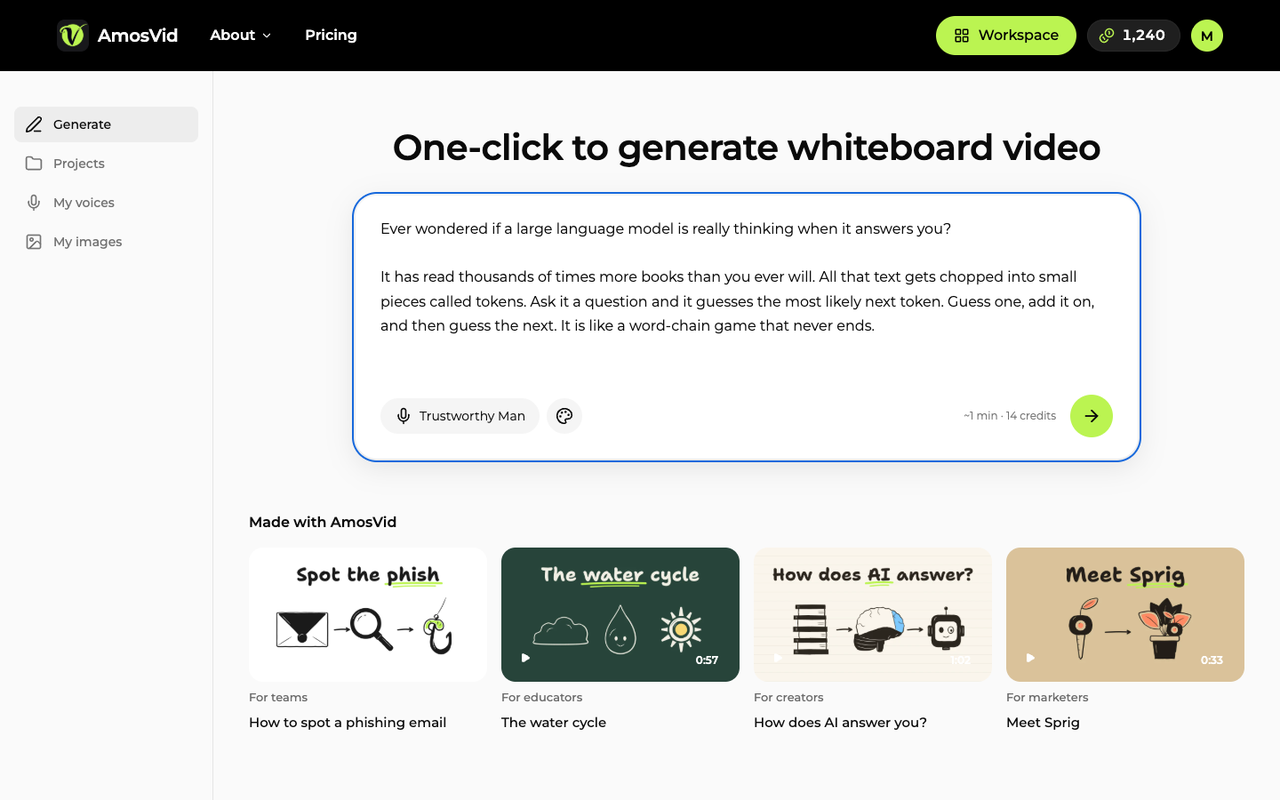
AmosVid is a browser tool that turns a script into a hand-drawn whiteboard explainer. Paste English or Chinese text and it splits scenes, draws them stroke by stroke, and records a voiceover in the script's language. The export is a 1080p MP4, and the site says those exports can be used in commercial projects. New accounts also get one-time free credits for a short sample. It fits people who need to explain one idea and do not want to storyboard and book a voice separately.
Key Features
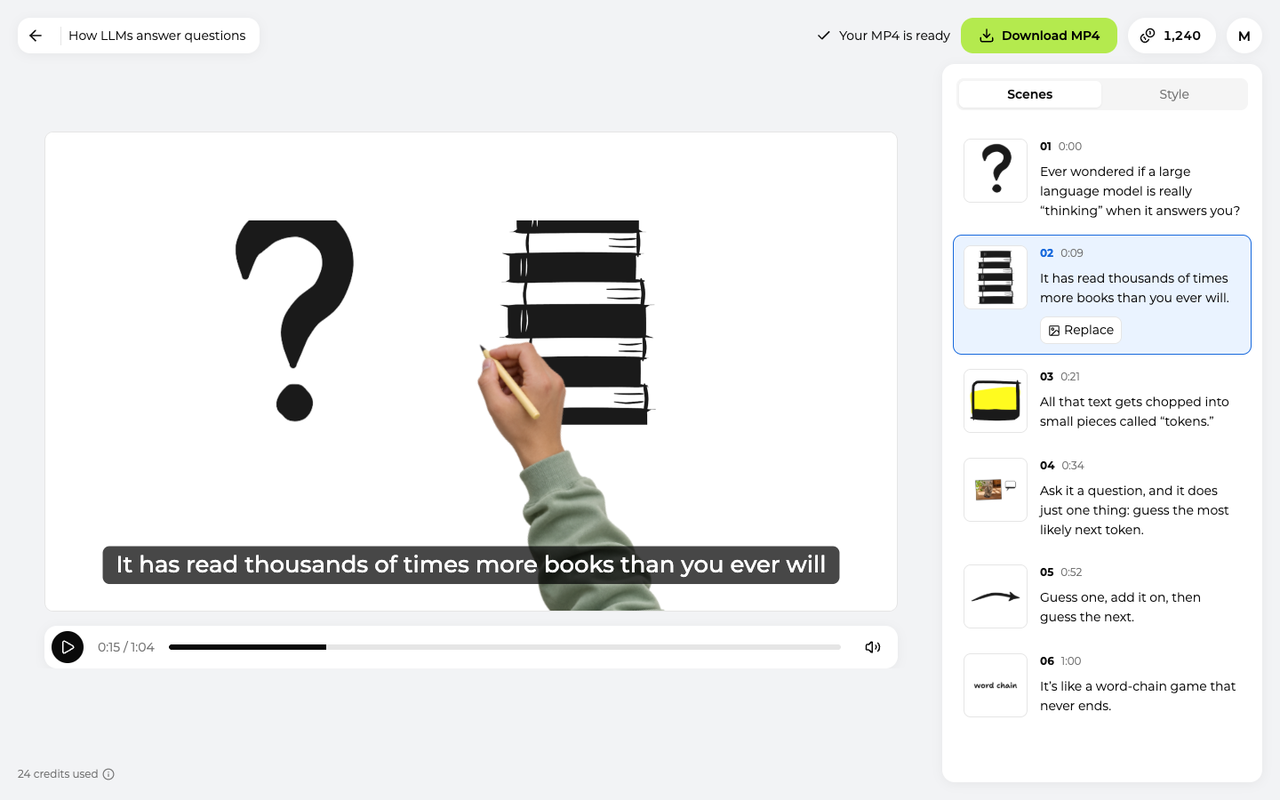
- Splits an English or Chinese script into scenes and estimates duration and credits.
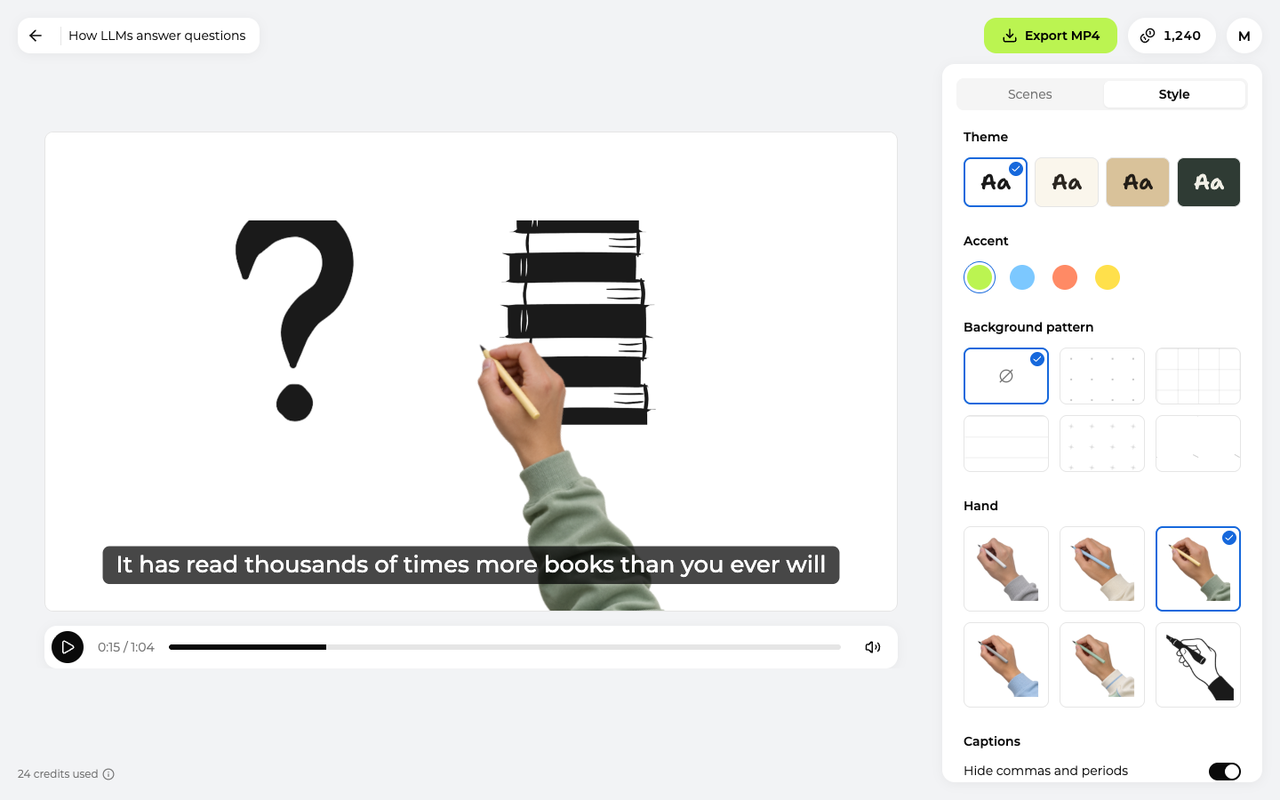
- Draws from a hand-drawn library in time with the voice, with sound effects.
- Offers preset voices, or a cloned voice when you have permission. Cloning spends credits.
- Replaces one frame from the library, an upload, or stock search without rebuilding the video.
- Exports a 1080p MP4. The pricing page says credits are spent on generation; exports and swaps are not charged again.
- Writing, preview, and export run in a modern desktop browser, with nothing to install.
Use Cases
- A teacher turns a lesson script into a whiteboard explainer that students can pause, without filming themselves.
- A marketer or founder explains how a product works in one drawn video instead of a long post.
- A video creator turns a finished script into an MP4 they can use commercially, then adds a title in an editor.
- A trainer writes a procedure in Chinese or English and fixes one scene without regenerating the whole video.
Who is it for?
- Teachers and trainers who need explainer videos and do not draw or edit.
- Content teams that need an English or Chinese voiceover.
- People willing to spend the one-time free credits on a sample of about one minute.
- A poor fit for live action, talking-head footage, or complex storyboards. The picture is a whiteboard sketch, not a general video model.
- Also a poor fit if the script is only in Japanese, French, or another language. The site limits scripts and voices to English or Chinese.
How It Compares to Similar Tools?
If the job is a hand drawing on a whiteboard while a voice explains, AmosVid goes from script to MP4 and lets you swap one scene. If you need a person on camera, several shots, or another visual style, look at filming or a general editor. Compared with asking a chatbot for a script only, this adds duration estimates, credits, preview, and export. It is not an open course library. The public pages do not include a table against a named competitor. Language, length per video, and commercial export are the practical checks.
Pricing Details
The free tier is $0. New accounts get 30 credits once, which the site equates to about one minute of video, with no card. That includes English and Chinese scripts and voices, drawn scenes and sound effects, image swaps from the library, uploads, or stock search, a 1080p MP4, and voice cloning that spends credits.
Pro has two bills: $120 per year, shown as $10 per month (the page says that saves 50%), or $20 per month with cancel anytime. Pro includes 1,200 credits a month, about 40 minutes of video, up to 30 minutes per video, and voice cloning. Credits are used only when you generate. Exports and image swaps are not charged again. Check https://amosvid.com/pricing for the current figures.
FAQs
Q: How long can an AmosVid video be?
A: The free credits are about one minute. On Pro, one video can run up to 30 minutes, and the monthly credits are about 40 minutes.
Q: Which languages are supported?
A: The site says scripts are English or Chinese, and the voiceover follows the script. Other languages are not described.
Q: Can I use the export commercially?
A: The homepage FAQ says yes. A cloned voice still requires that you have the right to use that voice.
Q: What happens after the free credits?
A: Those credits are one time. Longer videos need Pro: $10 per month on the yearly bill, or $20 month to month.
Why We Recommend?
It packs the script, the stroke-by-stroke drawing, and the voiceover into one generation, which suits people who need a clear explanation rather than a cinematic clip. Teachers, trainers, and product explainers who already have a script can spend the free credits on a sample of about one minute. The limit is English or Chinese, and credits. Other visual styles and other languages are outside this product.
Information sources
- Pages: https://amosvid.com/ , https://amosvid.com/pricing , and https://amosvid.com/about
- Last checked: 2026-11-26
- Prices, credits, and languages follow the live site.


