


What website is this?
Happycapy is a browser AI agent workspace. Docs call it an agent-native computer: you describe a task in plain language, it calls models and skills step by step in a cloud sandbox apart from your computer, then returns files or a result. A chat window only answers. A project can also hold documents, code, images, and scheduled tasks. It fits people who know the deliverable and do not want to request API keys or install a local setup.
Key Features
- Runs multi-step tasks in a cloud sandbox and skips local files you have not uploaded.
- Switches built-in models such as Claude, MiniMax, DeepSeek, and Kimi.
- Calls Skill Store skills. The free plan can also create custom skills.
- Manages documents, spreadsheets, PDFs, images, and code in a project.
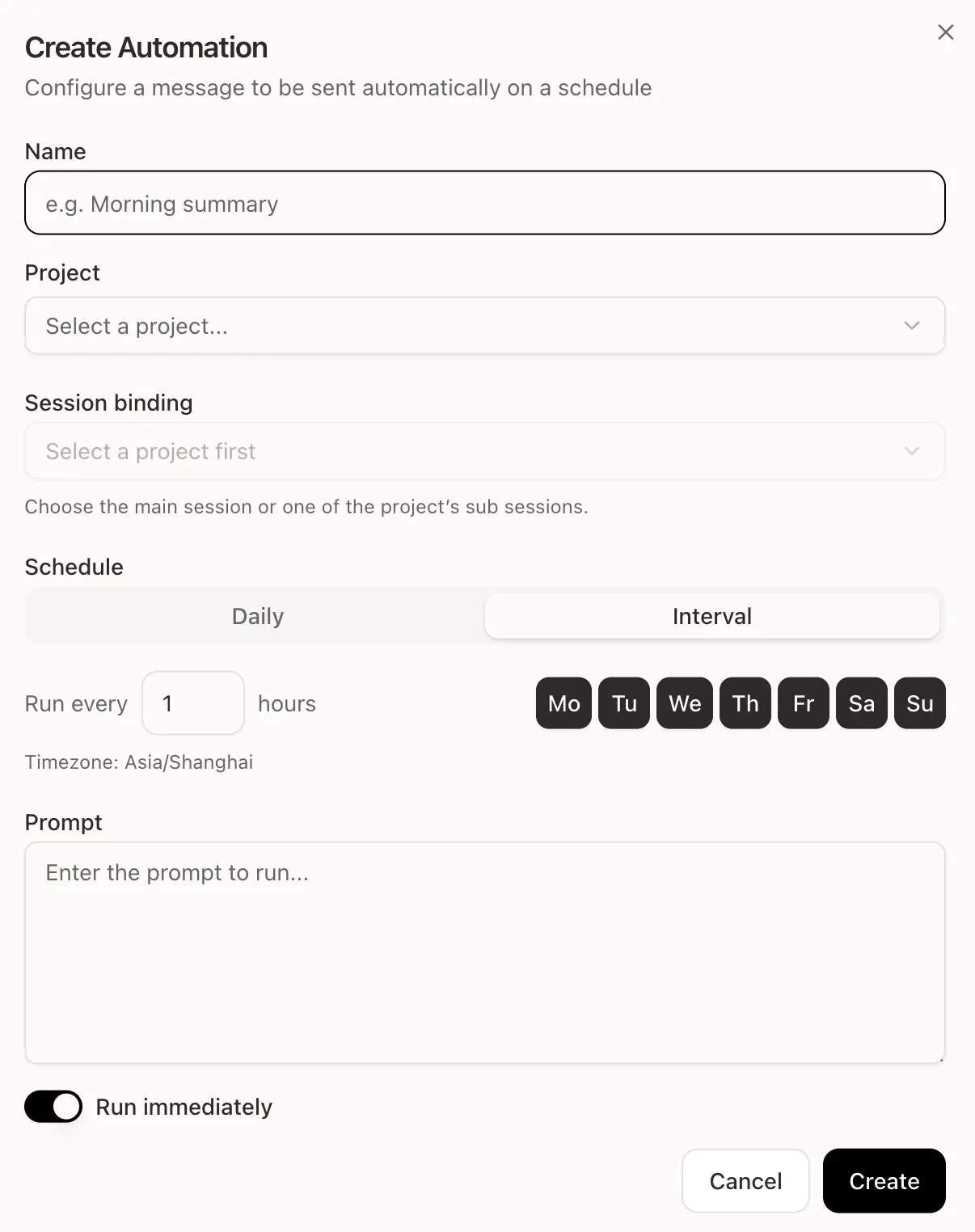
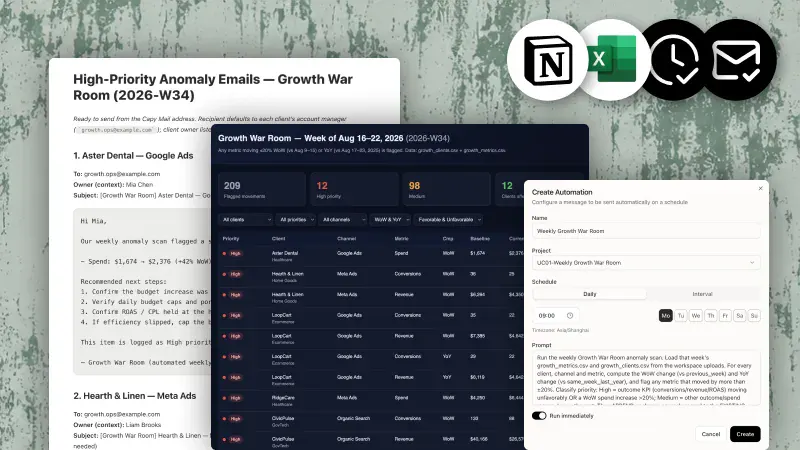
- Schedules automations that can continue in the cloud after you leave.
- Paid plans include Capy Mail within a mail quota.
Use Cases
- An operations person uses a scheduled automation to read project files and write a weekly status brief.
- Someone who does not code, given spreadsheets and PDFs, asks the project in plain language to organize figures and points.
- When an image or short video is needed, the copy stays in the same project and goes to the matching generation skill.
- A developer can review generated code and files without installing a local terminal or entering API keys first.
Who is it for?
- Individuals or small teams putting recurring research, organizing, and reporting on a schedule.
- People handling files and code who do not want to store API keys for several model providers.
- People who accept credit billing and will authorize outside tools in a cloud project.
- A short chat only, or a refusal to put work files in a cloud sandbox, is a weaker fit.
How It Compares to Similar Tools?
Public pages show how the work is done, not rankings or share.
- Files that must stay on the machine and finish offline do not fit a cloud sandbox.
- If models, skills, and schedules should stay in one project rather than a chat-only window, the docs match the first setup.
- A flat monthly fee that ignores task length is the wrong reading. Long tasks, images, and automations spend credits.
- Automations are marked Beta, so schedule fields and quantity limits may change.
Pricing Details
Ongoing free plan plus paid upgrades. Prices may vary. Captured 2026-11-03.
- Free: $0/month, 250 credits, a basic sandbox, Claude access, basic models through skills, and custom skills.
- Pro: $20/month, or $17/month on the annual view. 2,000 credits; sandbox of 2 cores, 4 GB memory, and 50 GB storage; frontier models; 3 automations; 200 Capy Mail messages.
- Plus: $50/month, or $42/month annually. 5,000 credits, the same sandbox as Pro, 5 automations, and a 2,000-email quota.
- Max: $200/month, or $167/month annually. 22,000 credits; sandbox of 4 cores, 8 GB memory, and 200 GB storage; 10 automations; 5,000-email quota; early iOS access; a research preview of agent teams with a GUI; priority human support.
- Annual billing is labeled two months free. Team is described as flexible plans for teams of different sizes, with no public numeric price.
- Credits cover model calls, media generation, long tasks, and automations. The docs point to the live pricing page.
- The iOS App Store has separate in-app prices, including Pro Monthly at $19.99. That list is not the website price sheet.
FAQs
Q: Is Happycapy free?
A: Yes. Free is $0/month, with 250 credits and a basic sandbox. Frontier models and Capy Mail are on paid plans.
Q: Can I use it without knowing how to code?
A: The docs say programming is not required. Research, files, and images can be requested in plain language. People who code can still review generated files.
Q: Do my files stay on my computer?
A: Tasks run in a cloud sandbox and use only files you upload or add to a project. Outside tools need your authorization and can be revoked there.
Q: Can I use it on a phone?
A: The official FAQ lists the browser, iOS, and Android. Happycapy is on the App Store. Complex projects fit a large screen better.
Why We Recommend?
Models, skills, and the sandbox already share one project, so you do not wire APIs yourself. Weekly reports, file organizing, or image work plus credit-based billing fit better than a few casual questions. Offline work and files that cannot leave the machine are out of scope. Automations remain Beta, and longer tasks spend credits faster.
Information Sources
- Sources: https://happycapy.ai/ , https://happycapy.ai/pricing , https://happycapy.ai/about , https://docs.happycapy.ai/en , https://docs.happycapy.ai/en/getting-started/credits , https://docs.happycapy.ai/en/getting-started/faq , https://docs.happycapy.ai/en/features/automations , https://apps.apple.com/us/app/happycapy/id6759722520
- Last checked: 2026-11-03
- Note: Prices, quotas, and features follow the latest site and docs. Store prices may differ.


