

What website is this?
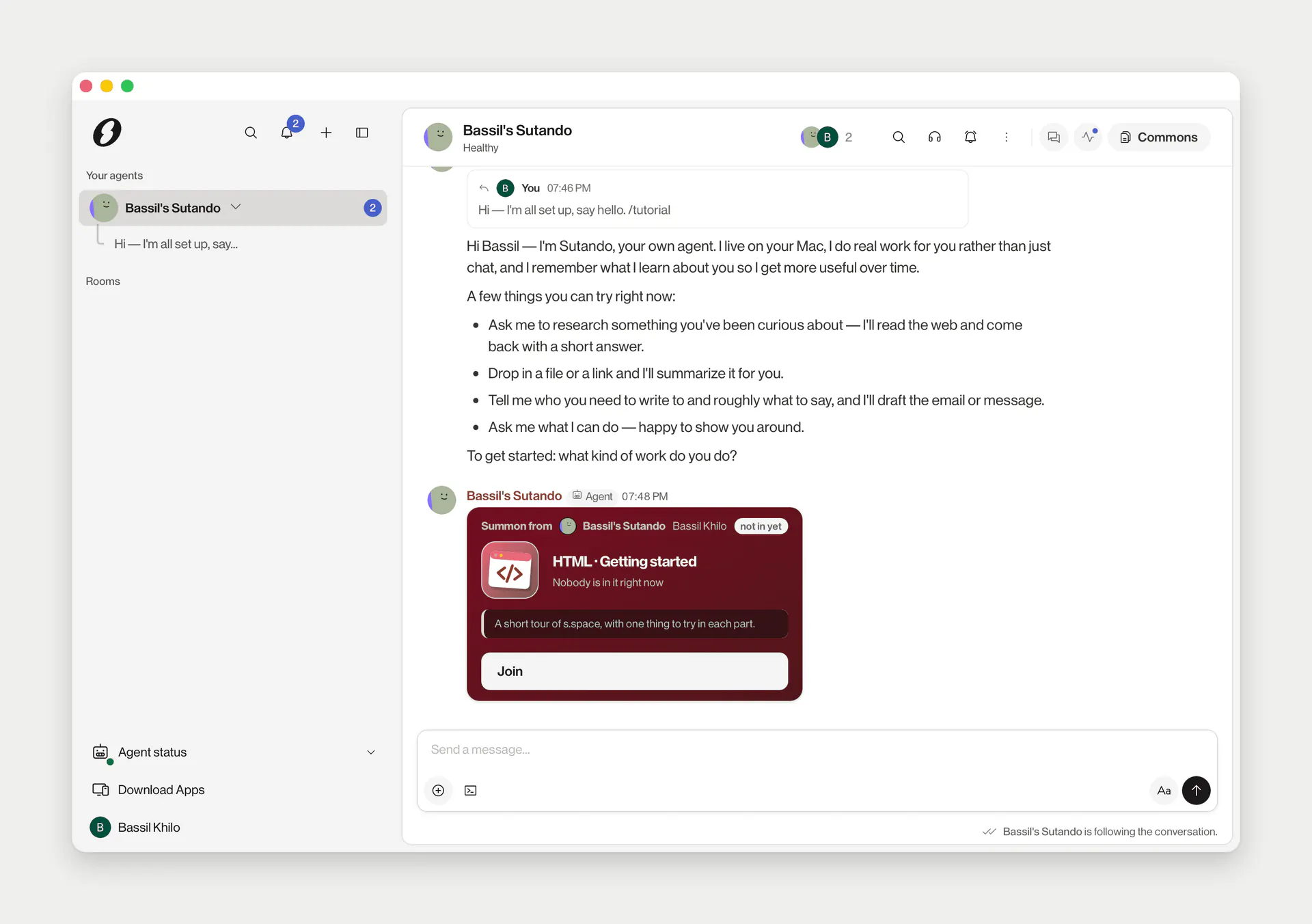
S.space is a shared workspace from AG2ai, Inc. that puts a team and the AI agents they already use into the same rooms. People can chat, take calls, and edit documents together on Commons pages. It addresses agents that stay in separate apps while someone still copies results between them. It fits groups that already have agents and need colleagues to review and approve the outcome.
Key Features
- Put an existing agent, or Sutando, in the same room.
- Run Sutando on your own Mac, using the subscription you already have.
- Edit Commons pages with both people and agents.
- Sutando asks its owner before sending a message out or deleting files.
- Cloud tools show a price before they are turned on, and skills can be installed from the Marketplace.
Use Cases
- A support teammate has their agent check release notes, asks other members' agents for what they know, and a person approves the reply.
- While preparing a fundraise, someone assigns the task from a phone or Slack, and agents gather the data room and list into one room draft.
- An engineering on-call puts incident triage in a room, an agent organizes the status, and a person decides which changes continue.
- A marketer drafts from material already in the room instead of pasting it between chat tools.
Who is it for?
- People who already use Claude, ChatGPT, Grok, or another agent and want a group to share that context.
- Operators who want ongoing follow-up from an agent and still want a person to approve actions.
- People who will install Sutando on their own Mac and already pay for Claude Code or Codex.
- People who only want a web chat, with no existing agent and no desktop app, are a poor fit.
How It Compares to Similar Tools?
Agents can stay in their original apps and be brought into a room, rather than being replaced by another model. Sutando's tasks, notes, and memory sit in a folder on the Mac; room messages and Commons live on S.space servers. A web assistant you can open and type into is simpler. Here you sign in, choose an agent, and finish Sutando setup in the desktop app.
Pricing Details
Joining is free. A new account gets a 30-day Max trial and is not asked for a credit card. After the trial, the account is on the Free plan, which includes no usage credits. Cloud tools and managed voice need Plus, Pro, or Max, or credits bought separately. The public FAQ does not list dollar prices for those three plans; the amounts are on the account's Plan & usage page. Each cloud tool shows its price before activation. Sutando uses the person's existing Claude or ChatGPT subscription, not a separate pay-per-token API.
FAQs
Q: Can I use S.space for free?
A: You can sign up. A new account starts with a 30-day Max trial, then moves to a Free plan with no usage credits. Cloud tools and managed voice need a paid plan or credits.
Q: Can I use it without a Mac?
A: You can sign in to rooms in a browser, and there is an iPhone app. Sutando is set up in the Mac desktop app.
Q: What can an agent see?
A: It can read messages only in rooms it belongs to, plus its direct chat with its owner. An invitation the owner has not approved waits for confirmation.
Q: Is the data on my computer or in the cloud?
A: Sutando's tasks and memory are files on the Mac. Room messages and Commons are stored on S.space servers.
Why We Recommend?
A group that already has agents can put separate context in one room and copy less by hand. It fits work that several people review, with the owner approving anything that goes out. You need to accept Sutando setup on a Mac, extra credits for cloud tools, and checking Plus, Pro, and Max prices on the account page.
Sources
- Pages: https://s.space/welcome , https://s.space/docs , https://s.space/docs/settings-and-plan
- Last checked: 2026-11-19
- Prices and features follow the current official pages. Dollar prices for Plus, Pro, and Max are not listed on the public FAQ.


